

Before you start
An agent
The agent whose call or chat behaviour you are setting.
A workspace call limit
Optional: needed only for Maximum calls to one person.
Which sections an agent shows
On a single-prompt agent, the Call page depends on the agent type. “Outbound” includes Outbound-Inbound agents.
Every multi-prompt agent shows the outbound set (no Rate Limiting), in a compact list without section headings or helper text.
Changing call duration, inactivity, calling window, voicemail and interruption sensitivity
Call limits
Maximum calls to one person caps how often this agent may call the same person: No limit, or 1 call up to the workspace limit (50 at most). It can only tighten the workspace limit and uses the same period. With a workspace limit of 10 calls per 24 hours, setting 3 shows “Call one person up to 3 times in any 24-hour period.” With no workspace limit, the field is disabled and the link under it reads Set limit. No limit means the agent follows the workspace limit. See Per-agent limits. The limit applies to the agent’s outbound calls however they start: campaigns, API calls and workflows. Dashboard test calls are never held by it.Call duration
The menu offers only warnings shorter than the inactivity duration. If you lower the duration to or below the current warning, the warning drops to the highest value still allowed: a 15-second warning with a 15-second duration becomes 10 seconds.
Timezone offers IST, EST, CST, MST, PST, GMT, CET (Paris), CET (Berlin), GST, SGT, JST, AEST, NZST and UTC.
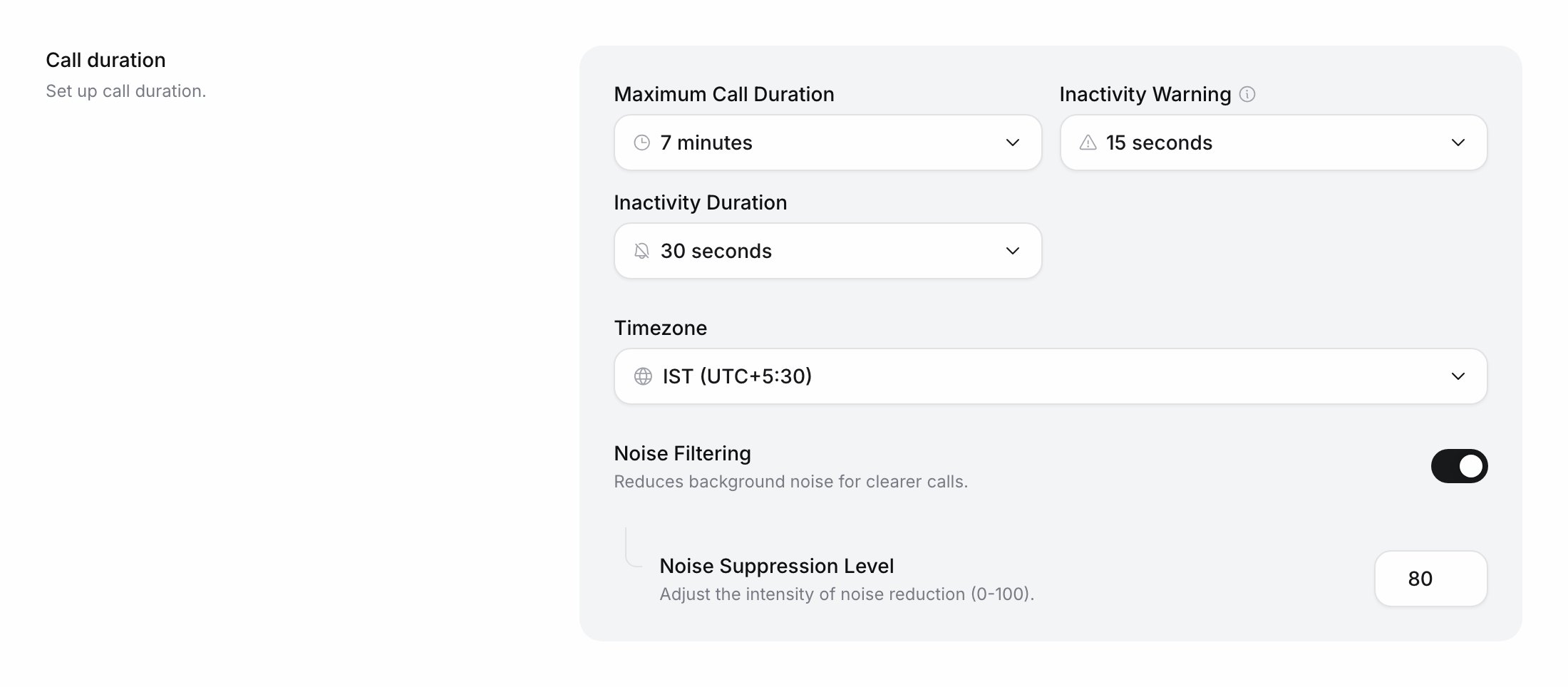
Call duration settings
Calling window
The hours an outbound agent may dial, in its Timezone. Call start time takes whole hours from 00:00 to 23:00; Call end time takes a later hour, up to 23:59. 00:00 to 23:59 means no restriction. An overnight window such as 22:00 to 06:00 can be set only through the API; the dashboard shows it and keeps it. An individual API call can send its owncall_time: each key it sends replaces the agent’s value, and keys it leaves out keep the agent’s. A campaign always uses its own window instead of the agent’s; a campaign started by API without call_time calls from 09:00 to 21:00 IST.
Voicemail
New single-prompt agents start with Voicemail detection and Retry call on; new multi-prompt agents start with both off. The agent detects voicemail during the call only while the caller’s audio is silenced: during the first message when Interruptible is off, or while the agent speaks when Silence callee when assistant is speaking is on (Other settings).
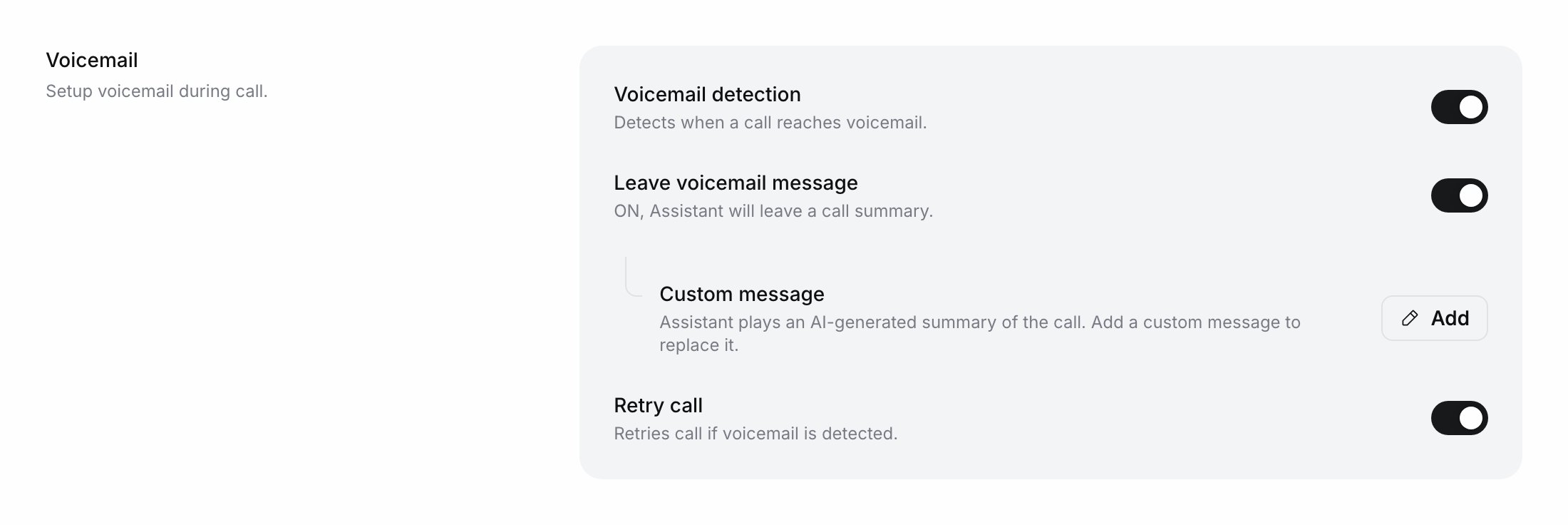
Voicemail settings
Rate limiting (inbound)
Rate limiting stops one caller from calling an inbound agent over and over. Switching on Enable rate limiting starts with Terminate Call at 3 calls per hour; change the fields, then click Save.Interruption sensitivity
How easily the caller’s voice cuts the agent off mid-sentence: this is the agent’s voice activity detection () threshold. Pick Strict for noisy lines where background sounds keep stopping the agent, and Sensitive if callers feel the agent talks over them.
New agents start on Default.
Other settings
Chat settings
The Chat page shows Chat Duration on every agent except WhatsApp agents. WhatsApp agents show WhatsApp session instead: see Set the session timeouts. Chat Duration applies to every text chat in an embedded widget and every Live chat test. Voice web calls use the call settings above.Do this with the API
Create Agent (POST /public/agent) takes these settings in call_config. Any key you leave out takes its default. You need an API key.
object
cURL
call_config (max_call_length, idle_timeout_warning, idle_timeout_end, call_time, call_retry_config) with Initiate Individual Call. On an existing agent, Edit Assistant changes these:
Other call settings on an existing agent are changed in the dashboard.
Verify it worked
Test the agent with a phone call and stay silent. The agent should check in at the Inactivity Warning time and hang up at the Inactivity Duration. Open the call in Logs to check its duration and how it ended.Troubleshooting
The agent keeps getting cut off mid-sentence
The agent keeps getting cut off mid-sentence
Background noise or short sounds on the caller’s side are being heard as speech. Set Interruption sensitivity to Strict; if callers still can’t be heard over the agent, switch on Silence callee when assistant is speaking under Other settings. To stop interruptions during the greeting only, turn off the first message’s Interruptible switch (Prompt).
Calls are not going out at night
Calls are not going out at night
Check the calling window and the Timezone it is read in. Outside the window an outbound call is not dialled immediately. A campaign’s calls follow the campaign’s calling window, not the agent’s.
Next steps
Extract data with Advanced Analysis
Define the variables Ringg fills in from every conversation.
Run a campaign
Call a list with its own calling hours.