

The chapter in order
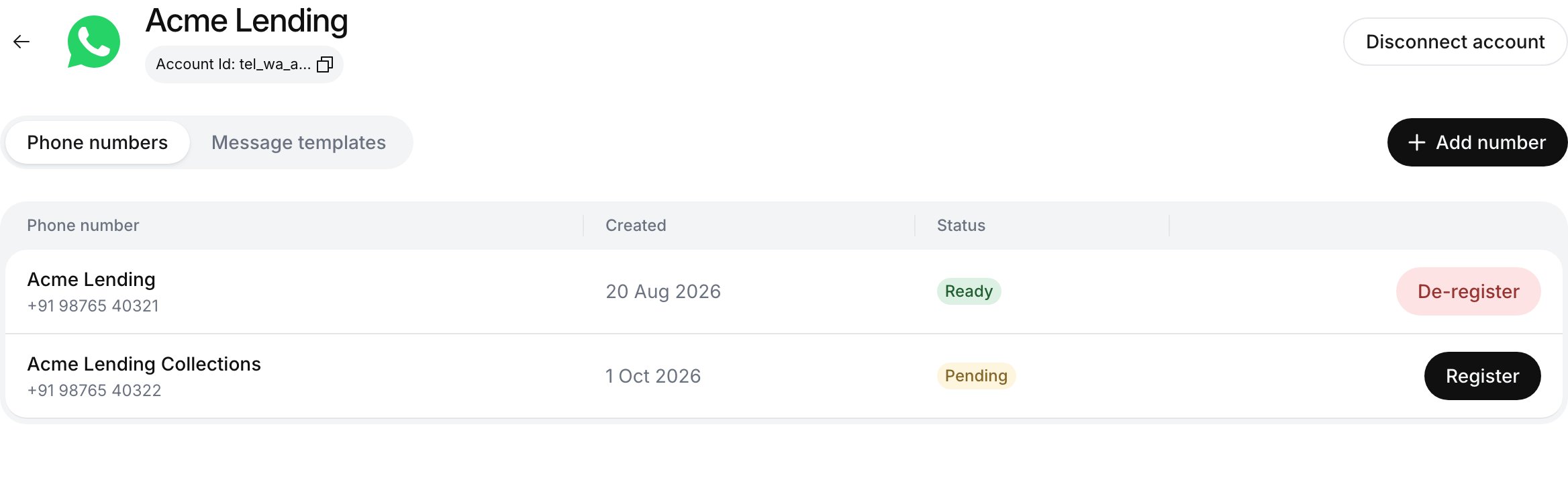
Step 2 ends here: the connected account's Phone numbers tab with a Ready number
How a chat runs
- A customer messages your WhatsApp Business number, or your backend messages them first with a template.
- The agent attached to that number opens a chat. Pre-call tools run, then the agent replies from its prompt, knowledge base and on-call tools.
- The chat closes when the agent calls End Chat or the customer goes quiet for the agent’s idle timeout (session timeouts). Post-call tools and analysis then run, and each stage can notify your webhook.
WhatsApp compared with voice
Good to know
Why a template is needed after 24 hours
Why a template is needed after 24 hours
WhatsApp delivers free-form text only within 24 hours of the customer’s last message. Outside that window only an approved template goes through. That is why Send WhatsApp Text is an on-call tool only, while Send WhatsApp Template also works post-call.
How replies are formatted
How replies are formatted
WhatsApp has its own markup:
*bold*, _italic_, ~strikethrough~, and lists that start with - . It has no headings, tables or Markdown links. The WhatsApp agent template already tells the model this; keep those rules if you rewrite the prompt.Next steps
Connect WhatsApp Business
Link your account through Meta, register a number and create templates.
Create a WhatsApp agent
Attach the registered number and write a chat prompt.