

Node types
The node picker has one Router entry (“Ask the caller or branch on data”); choose it, then pick LLM Router or Logic Router.
Responses stored by an Action node are available to later nodes through the
@ menu (Variables).
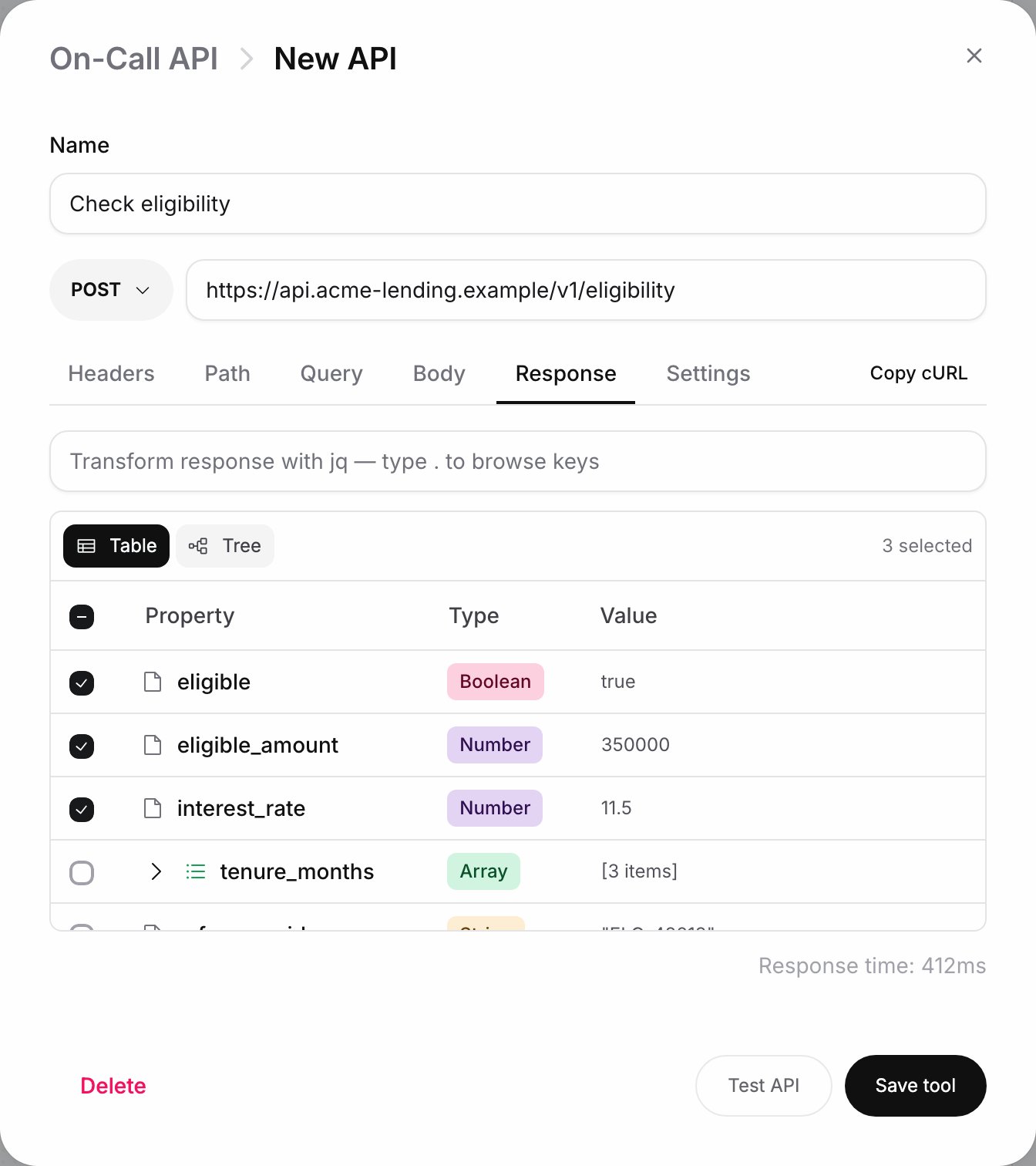
An Action node's request editor after Test API: pick the response fields to store
Extract variables
An LLM Router can pull values out of the caller’s answer as it routes. Each entry has avariable_name, a type (String, Number, Boolean, Date, Enum with its values as a comma-separated list, or Array) and a description: “Describe what this variable should capture from the conversation”. Extracted variables appear under Extracted Variables in the @ menu of later nodes and in a Logic Router’s variable picker, and in the Test call summary after a test.
Custom formulas
In a Logic Router rule, the variable picker’s Logic section offers Custom formula, which replaces the variable with a jq expression. Describe it in English (“e.g. days until the payment date”) and click Generate formula, or click Paste formula directly and type the jq yourself. The card shows Sample values used so you can check what the formula read, and the operator and value of the rule stay as they were. Use a variable switches back.Connection rules
The node picker enforces these rules. Blocked types appear greyed out with the reason as a tooltip, for example “Agents can only hand off to an LLM Router or End — route through a Router to continue.”
When an LLM Router follows an Agent node, the Agent makes the routing decision, so the router hides its Retry behavior and Fallback sections.