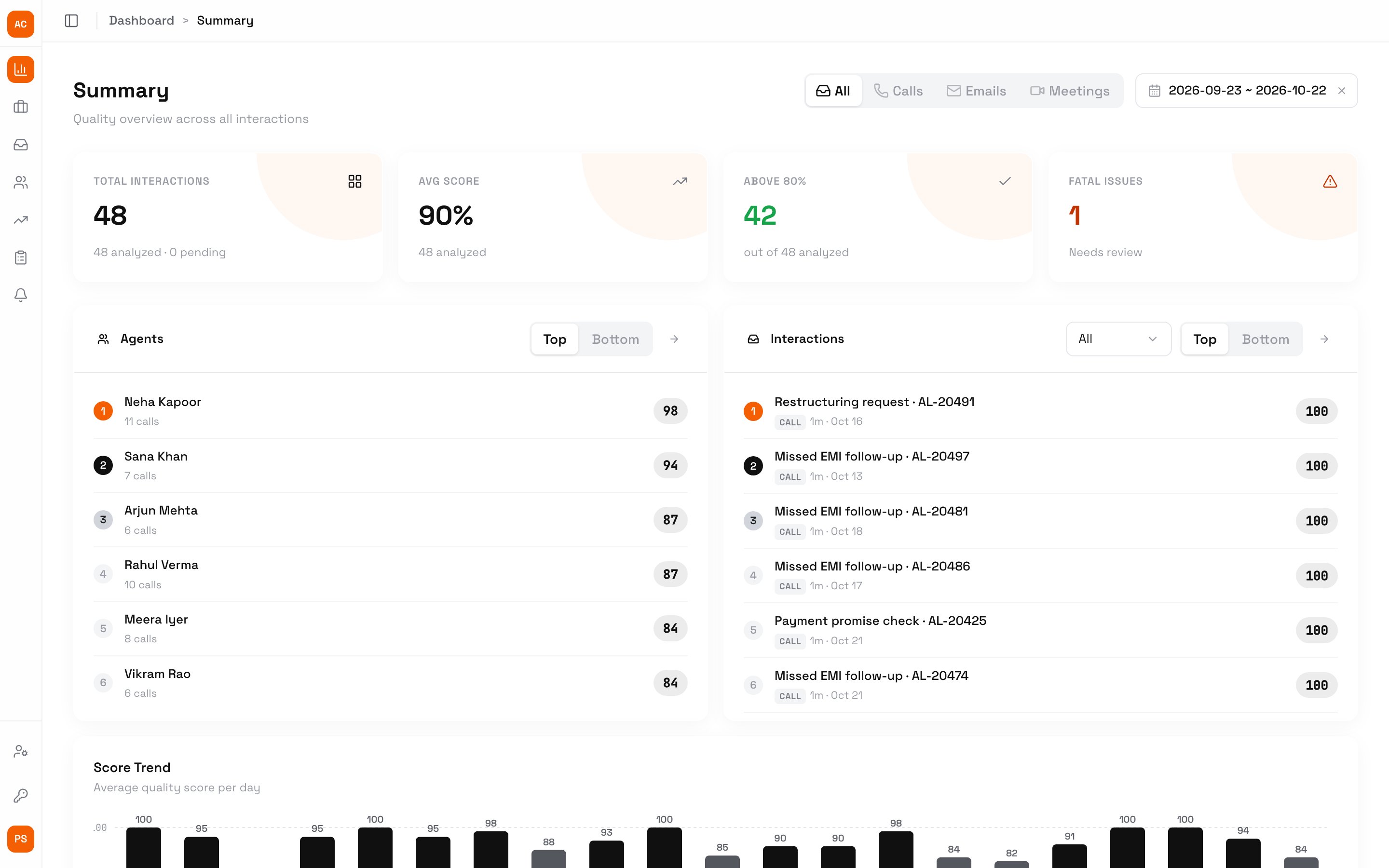
Summary is the first page after you sign in. What it covers depends on your role: owners, admins, QAs and members see the whole workspace, a team lead sees their team, and an agent sees their own calls. In Ringg Analytics: Sidebar → Summary. Pick the period with the date picker at the top right; the default is the last 30 days. Scores are the official ones: a call’s resolved dispute score where there is one, otherwise the AI’s.

Workspace

Workspace Summary with All, Calls, Emails and Meetings switches, four cards (Total interactions, Avg score, Above 80%, Fatal issues), top agents and top interactions lists, and the daily score trend

Summary for the whole workspace

Switch All, Calls, Emails or Meetings at the top to narrow every card to one type.

Team summary

A team lead’s Summary covers only their team, with the workspace average as the one benchmark.
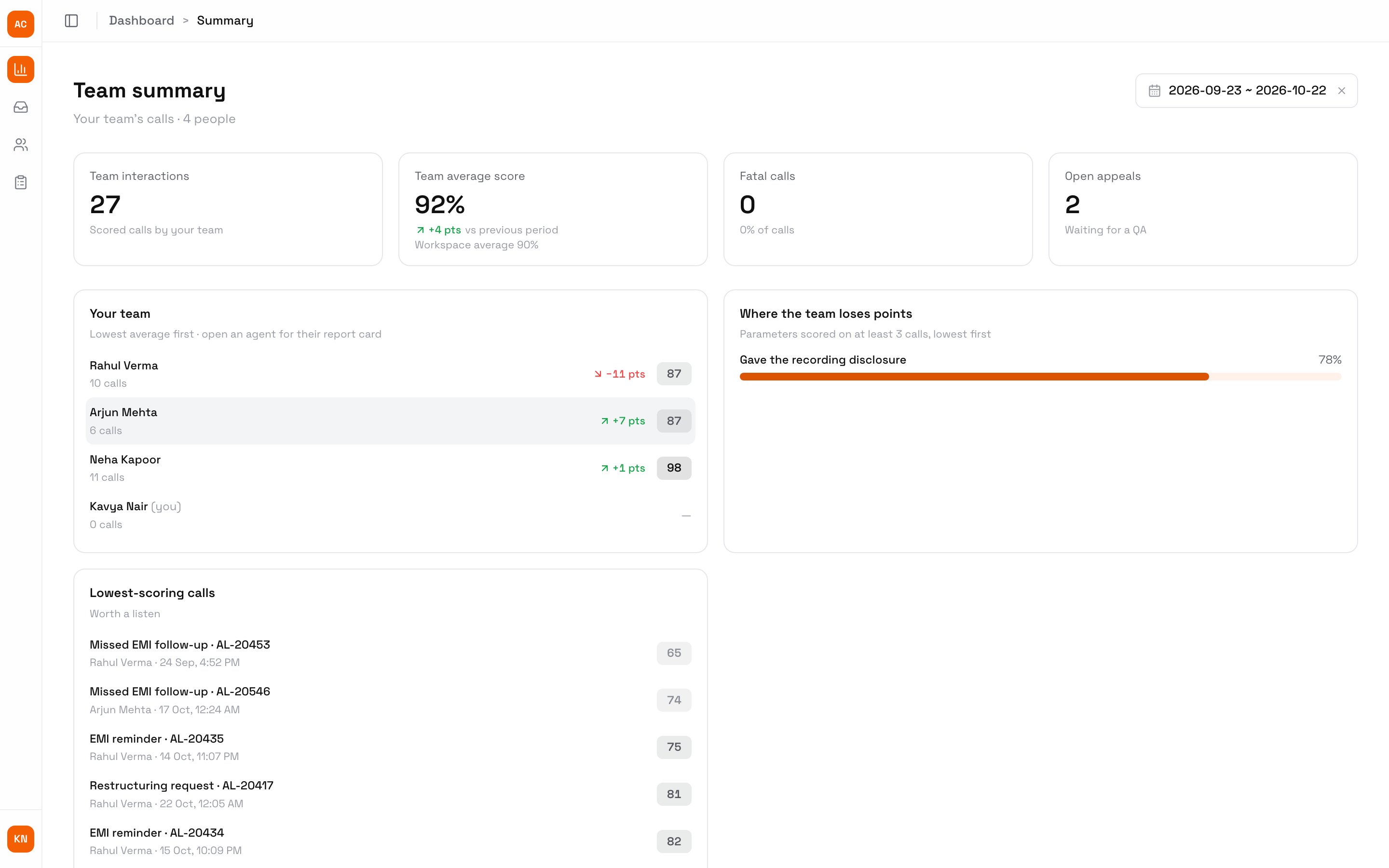
Team summary for Kavya Nair: Team interactions, Team average score with the change against the previous period and the workspace average, Fatal calls, Open appeals, the Your team list with each agent's average and change, Where the team loses points, and Lowest-scoring calls

A team lead's Summary

  • Team average score shows the change against the previous period of the same length, and the workspace average.
  • Your team lists each agent, lowest average first, with their change. Click an agent to open their report card.
  • Where the team loses points lists parameters scored on at least 3 calls where the team earns under 80% of the points.
  • Open appeals counts the team’s disputes waiting for a QA.

My summary

An agent’s Summary covers only their own calls: their average and trend, lowest-scoring calls, the parameters to focus on, and New coaching notes from their team lead or QA. The notes card opens My report card.
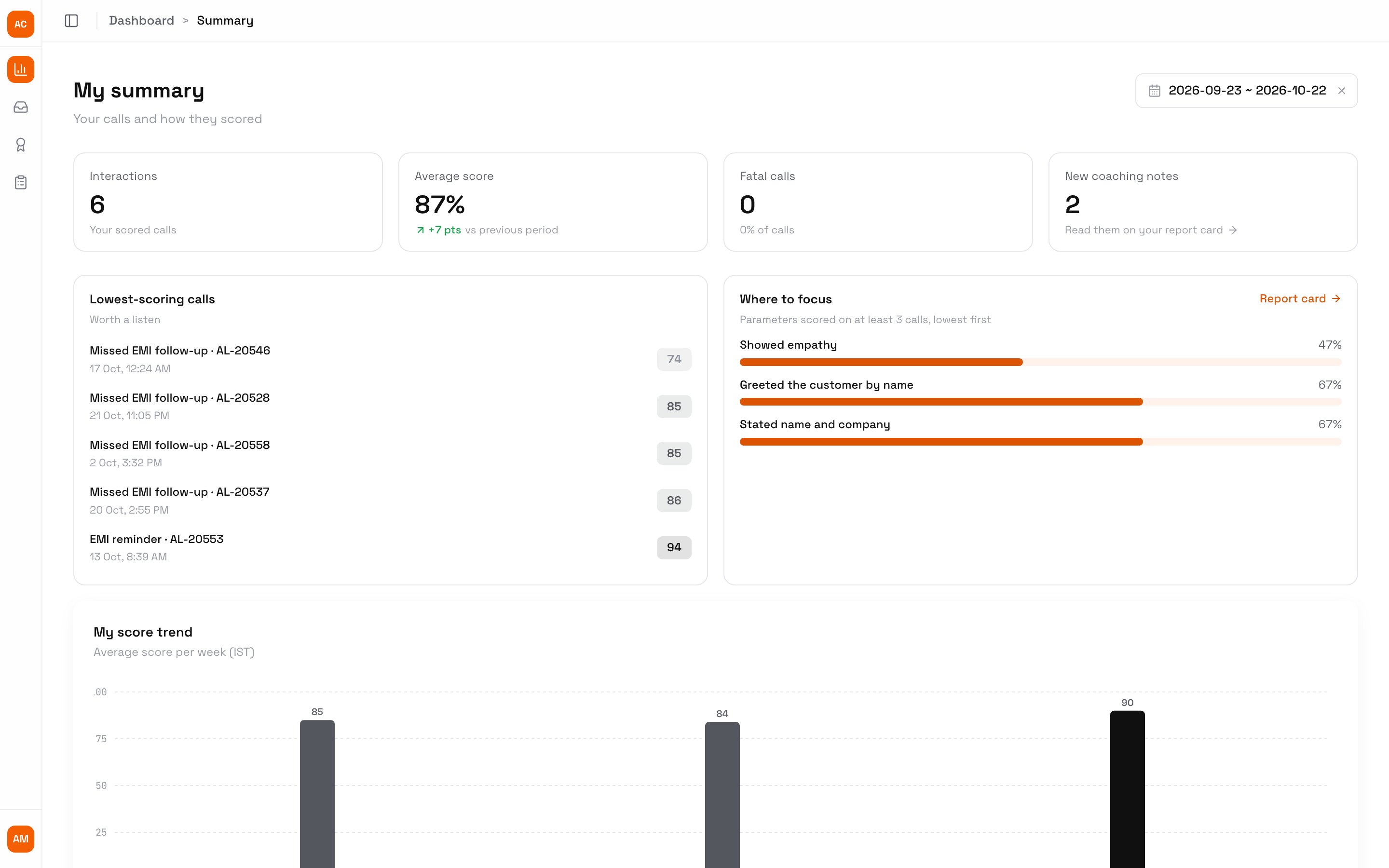
My summary for Arjun Mehta: Interactions, Average score with the change against the previous period, Fatal calls, New coaching notes, Lowest-scoring calls, Where to focus and My score trend

An agent's own Summary

Next steps

Interactions

Open a call behind a score.

Report cards

One agent’s performance in depth.

Roles and access

Why each role sees different figures.