

Settings
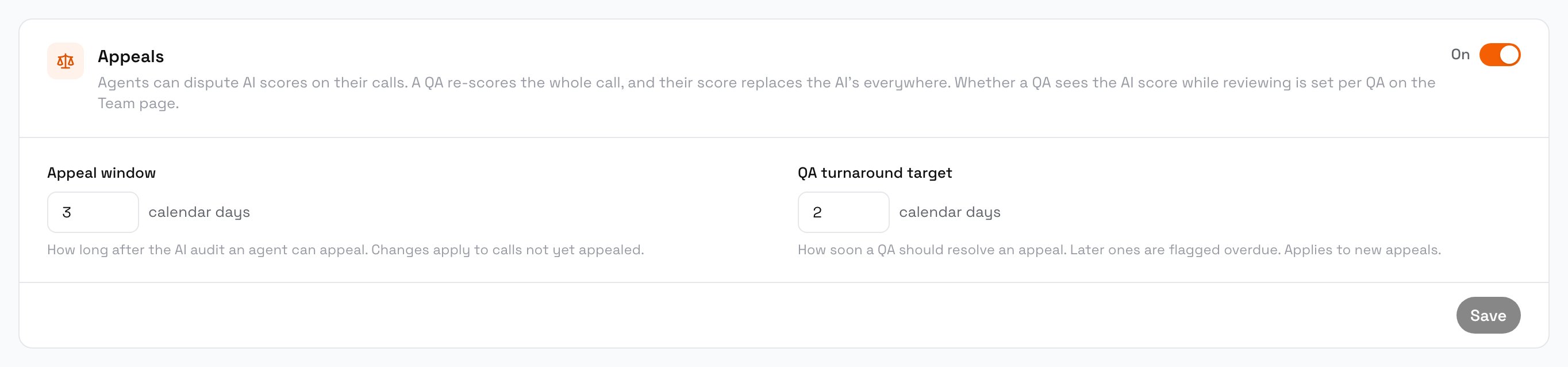
Dispute settings
1
Turn appeals on
In the Appeals card, turn the switch On. Agents can’t appeal while it is off.
2
Set the deadlines
Both are in calendar days, from 1 to 30:
3
Save
”Saved” shows next to the button.
Dispute report
The Disputed AI scores section at the bottom of Analytics covers the period you pick. Owners, admins and QAs in full view can see it.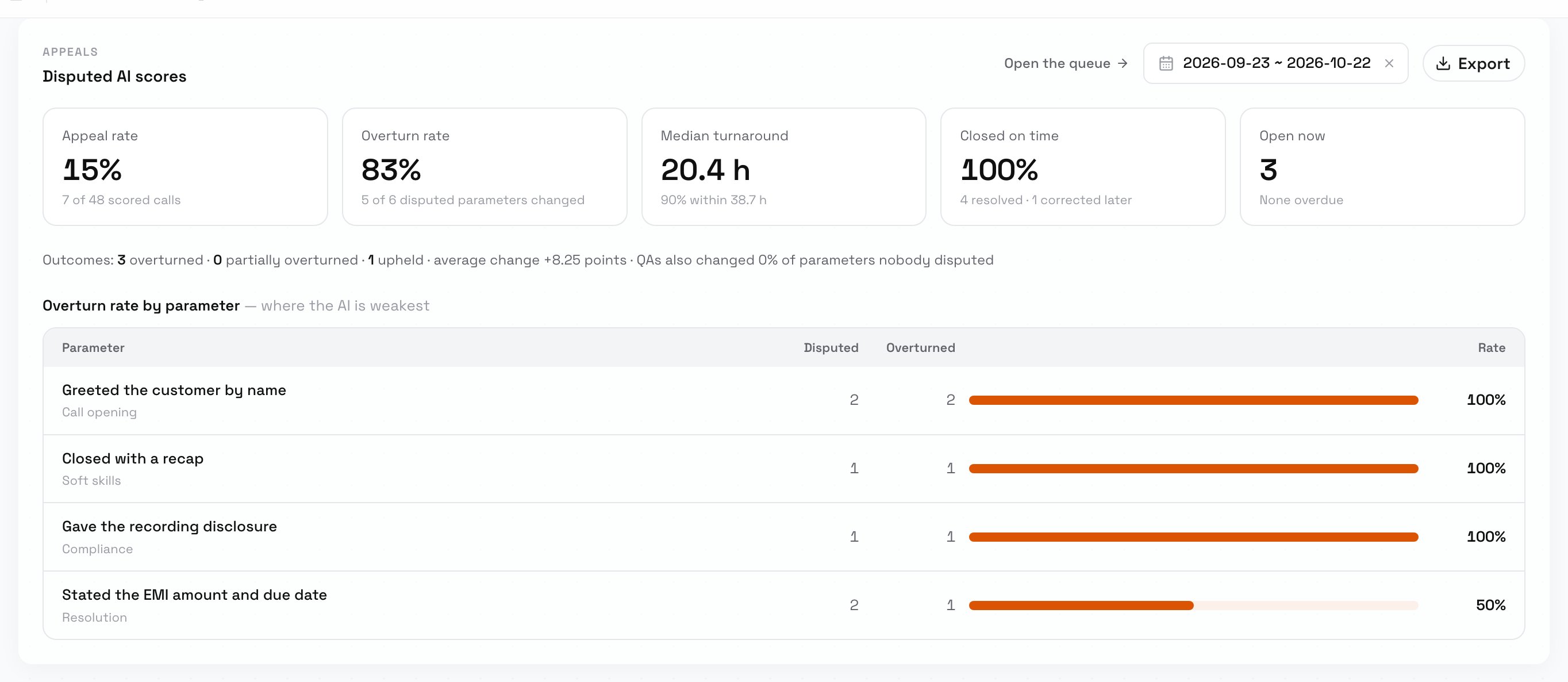
The dispute report
Open the queue opens Interactions filtered to appeals waiting for review. Export downloads the appeals in the period as a spreadsheet, with one sheet for the appeals, one for every disputed parameter’s result, and one for their history.
Next steps
Review a dispute
Work through the queue.
Metrics
Sharpen the descriptions of parameters the AI gets wrong.
Roles and access
Set each QA’s review mode.