

Review a call
1
Open the call
Open it from Interactions, or Open full page for more room.
2
Rate the parameters you check
Expand a category and pick a rating for each parameter you check, with a comment saying why. Parameters you don’t rate keep the AI’s rating in your Human score.
3
Mark the call fatal if it is
Tick Mark interaction as fatal to set the Human score to 0, whatever the ratings, and say why.
4
Save
Click Save review, or Discard to drop your changes.
The scorecard shows AI and Human scores side by side.
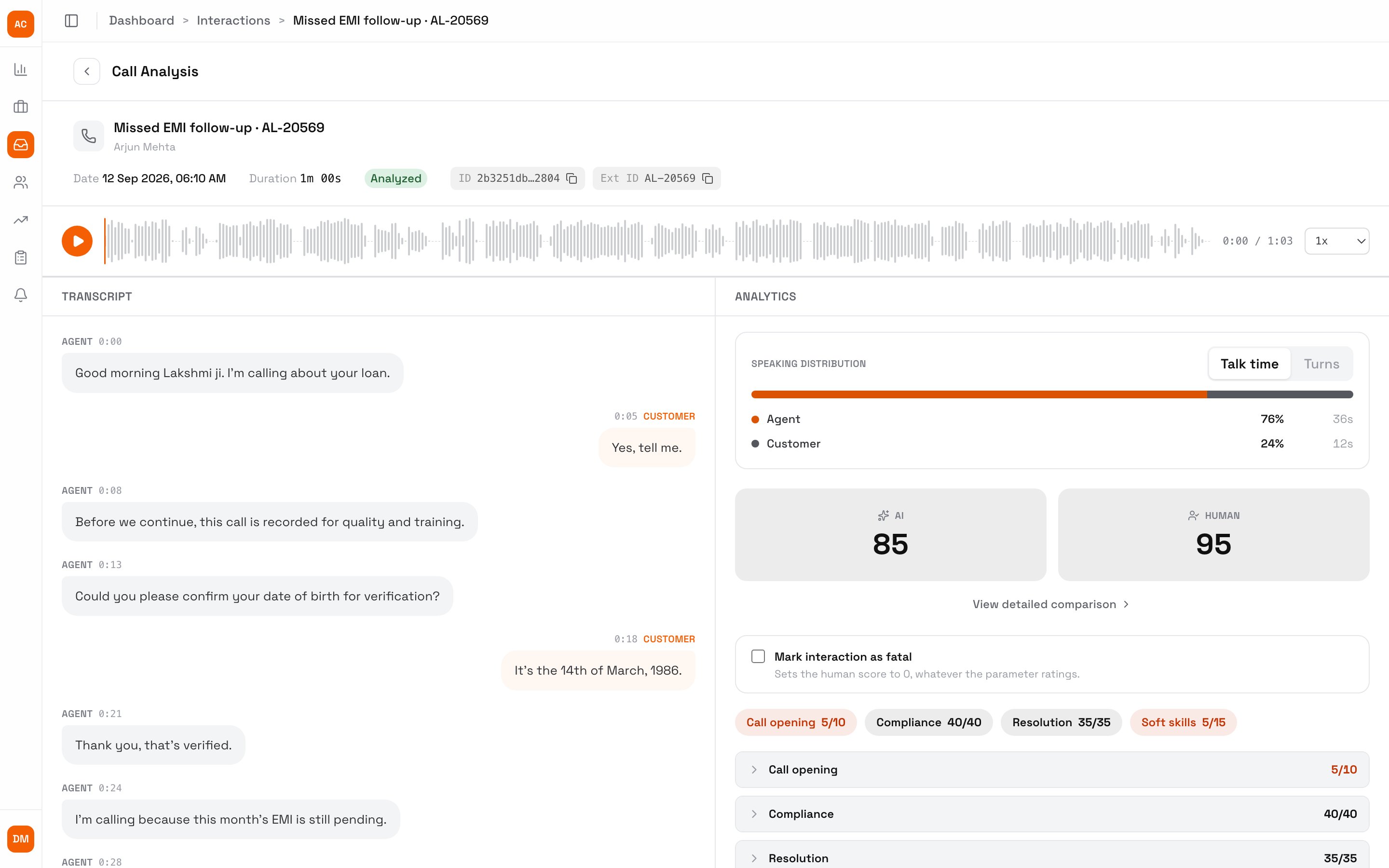
A reviewed call: the AI scored 85, the QA 95
Rules
- A QA set to Rate and comment on every parameter can’t save until each parameter has a rating and a comment: “Rate and comment on every parameter to save: N left.” Clearing a whole review is always allowed.
- A QA in Blind review sees AI ratings, reasons and summaries as
***while they score, so their ratings stay independent. Admins set both on Team (see QA settings). - Use Human Evaluation in the Interactions filter to list reviewed or unreviewed calls.
Share reviews with agents
To email the agent each time a QA saves a review, add a notification trigger that starts when A QA reviews a call. The ready-made QA Review Shared template lists the QA’s score against the AI’s and every rating and comment. See Notifications.Next steps
Notifications
Email agents when a QA reviews their call.
Review a dispute
Re-score a call an agent disputed.
Report cards
Turn reviews into coaching.