

Ringg Analytics is a separate product at analytics.ringg.ai, not part of the Ringg AI dashboard at
ringg.ai/dashboard. It has its own sign-in: your dashboard login doesn’t sign you in here, and the reverse is true too.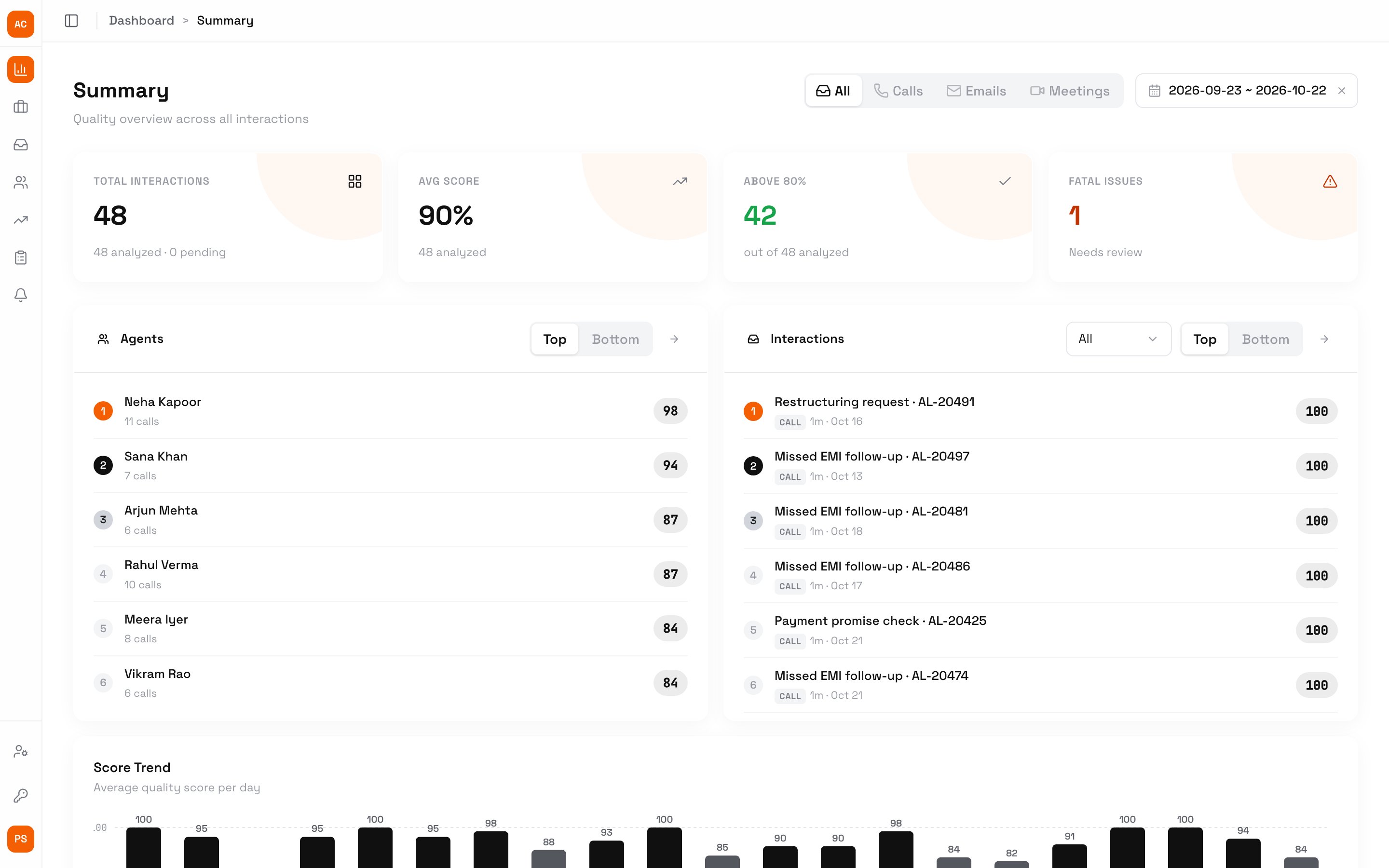
The Summary page for the Acme Lending workspace
Sign in
You join a workspace by invitation. An admin invites QAs, admins and members from Team, and agents and team leads from Agents; the invite comes by email.1
Open analytics.ringg.ai
Enter your work email and click Sign in.
2
Enter the code
“Check your email”: type the six-digit code from the email. There is no password.
You land on Summary. If you belong to several workspaces, switch between them from the workspace menu at the top of the sidebar.
How it works
Every call is scored against the metrics of its use case: each parameter gets a rating and a reason quoting the transcript, and a missed fatal parameter sets the score to 0. QAs can review any call, and agents can dispute a score they think is wrong.Get calls in
On Interactions, click New:
Only owners, admins and QAs can add calls. To let your own systems submit recordings, an admin creates a key under Settings → API Keys → Create API key.
What’s in Ringg Analytics
Roles and access
Who sees which calls and pages.
Summary
Scores and trends for your workspace, team or own calls.
Interactions
Every call with its transcript, recording and scorecard.
QA reviews
Re-score a call by hand next to the AI.
Report cards
One agent’s performance, focus areas and coaching notes.
Disputes
Agents appeal an AI score; a QA settles it.
Next steps
Metrics
Set the rubric calls are scored against.
Agents and teams
Add agents and team leads and invite them.
Roles and access
Decide who sees what.