

Objective
Add a pre-call API tool that fetches the loan account from the CRM before Ananya says hello, and read its fields in the prompt.The scenario
The calling list is exported the night before. By the time Ananya calls, Rahul may already have paid. Acme’s CRM atcrm.acme-lending.example answers a GET on /api/accounts with the loan account for a phone number: account_status (due, paid or overdue) and rm_phone, the relationship manager’s number. A pre-call tool fetches it on every call, and the prompt reads the result.
You need an endpoint of your own that returns JSON for this. If you have none yet, add the tool with Acme’s address anyway: the wiring is the same, and you skip the step that needs a response.
Hands-on
Adding a pre-call API tool and a call transfer tool
1
Open the Pre-call tab
In Ananya’s editor, open Advanced Settings → Tools, pick Pre-call and click API in the side panel.
2
Name the request
Enter the tool name
crm_lookup, method GET and the URL https://crm.acme-lending.example/api/accounts.3
Pass the phone number
On Query, add a row with key
phone, source Variable and value custom_args.mobile_number, so each call looks up its own customer. On Headers, add a Static row Authorization with your CRM token.4
Keep the two fields
Click Test API. On Response, tick
account_status and rm_phone and nothing else: pre-call output goes into the prompt, and the rest is noise.5
Block unknown customers
On Settings, add
404 under Block call on status codes, so no call goes out to a number the CRM does not know. Other 4xx and 5xx only skip this tool’s data. Click Add to assistant.6
Read the fields in the prompt
In Prompt, type
@, open crm_lookup under Pre-Call API Settings and pick a key from Response Keys. Add to the script: “The CRM shows this account as @((crm_lookup.account_status)). If it is paid, thank the customer and end the call. If they ask for a person, give them their relationship manager’s number, @((crm_lookup.rm_phone)).” Click Save.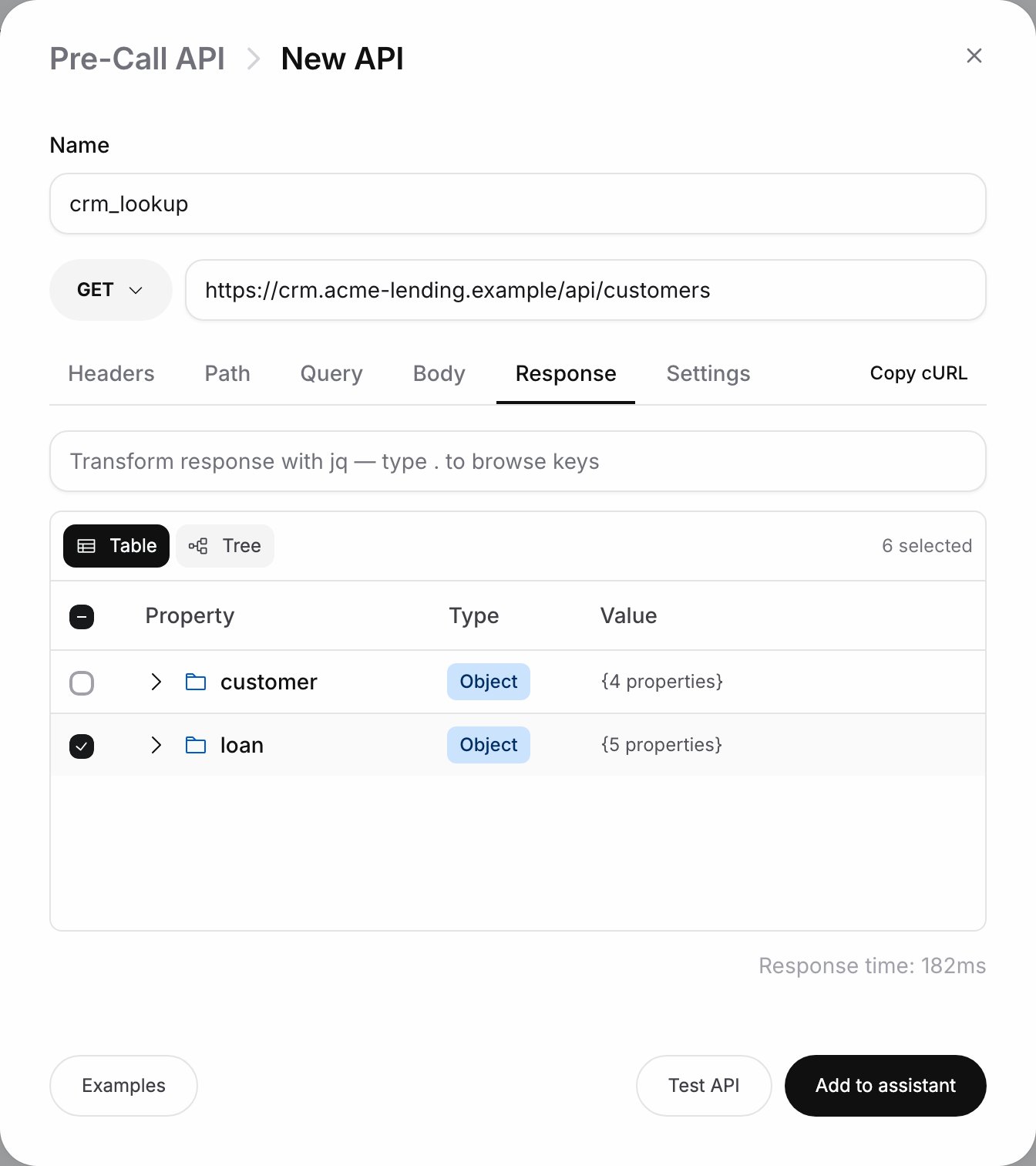
The Response tab after Test API
Checkpoint
crm_lookup is listed on the Pre-call tab, and the prompt shows both keys as chips. Place a test call, then open it in Logs: the Transcript tab lists crm_lookup under Pre-Call, and clicking it shows the HTTP status, the latency and the Request and Response (or Error) tabs.Exercise
Opencrm_lookup, go to Settings and set Retry count to 2. Expected result: a Backoff section appears with Exponential, Linear or Constant and the initial and max delay fields. Retries cover timeouts, connection errors, 429 and 500, 502, 503 and 504; any other status, 404 included, is not retried. Click Save tool.
What you learned
- Pre-call tools run before the call connects and their output reaches the prompt as
@((tool.key)); on-call tools run when the agent decides and must be mentioned as@||tool||; post-call tools send results out once the call ends. - A parameter’s source decides its value: Static for a fixed header, Variable for the call context such as
custom_args.mobile_number. - Block call on status codes aborts the call; other 4xx and 5xx codes only drop the tool’s data, so the prompt must still make sense without it.