

Objective
Add a second version of Ananya with a shorter first message and split call traffic between the two, so a prompt change is measured on real calls before it replaces the original.The scenario
Calls where the customer hangs up during the first message are wasted, and the team suspects Ananya’s opening is too long. Rather than change the prompt for everyone, V2 gets a shorter opening and 30% of the calls. After a week, A/B Analytics shows which version did better, and the winner takes all the traffic.Hands-on
Adding a version and splitting traffic in the dashboard
1
Turn on versions
In Ananya’s editor sidebar under Advanced Settings, switch on Create Versions. A version bar appears above the editor, showing V1.
2
Add V2
Click + in the version bar. With one version, the new one copies it: prompt, voice, variables, knowledge base and tools. V2 shows 0% with a red dot: it gets no calls yet.
3
Shorten the first message
Click V2 to switch to it. In Prompt, replace the first message with “Hello
@{{callee_name}}, this is Ananya from Acme Lending about your EMI due on @{{due_date}}. Is this a good time?” Click Save. It stores the prompt on V2 only; V1 is unchanged.4
Add a note
Open V2’s menu and choose Add notes. Write “Shorter first message, 30% from 15 October”, so that in a week you know what V2 changed and when.
5
Split the traffic
Click the gear in the version bar and choose Assign Traffic. Set V1 to 70% and V2 to 30% with the sliders (they move in 5% steps, and Save needs a total of exactly 100%), then click Save.
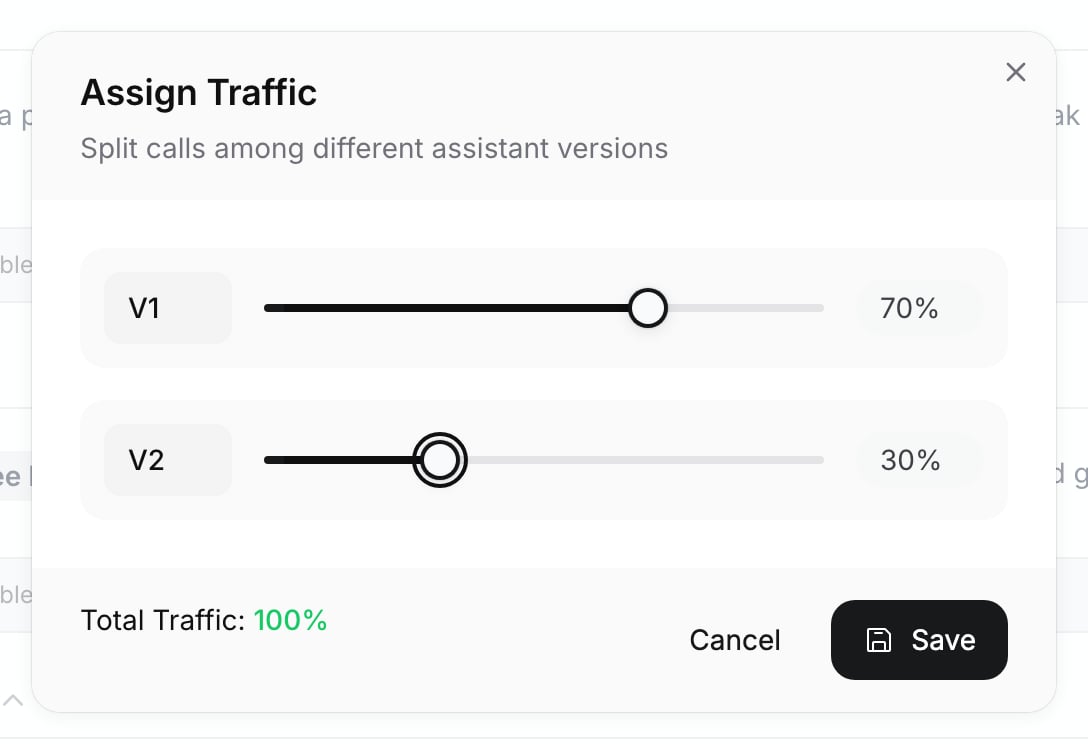
Assign Traffic with a 70/30 split
Checkpoint
The version bar shows V1 at 70% and V2 at 30%, both with a green dot, and the sidebar row reads A/B Tests Live! with a Finalize button. From the gear menu, View Analytics opens A/B Analytics, which compares the versions over the last 7 days once calls come in.
Exercise
Open Assign Traffic again, set V1 to 100% and V2 to 0%, and save. Expected result: V2’s dot turns red, because it now receives no calls. Put the split back to 70/30; part 6 compares the two versions in Analytics.What you learned
- A version is a complete copy of the agent’s configuration, so attachments such as variables and knowledge bases belong to a version; a single-prompt agent can have up to 5.
- Save writes to the version you are viewing, and the traffic split must total 100% in 5% steps.
- Every call records the version it used, so webhooks and call history say which one a call ran on; Finalize ends the test by sending all calls to the winner.