

Before you start
The component builder
Paste each idea into its Chat panel, then fix details in Blocks.
A 2.0 widget version
Components render only from a
2.0.0-beta build.Capture a lead and push it to your CRM
The agent qualifies the visitor in conversation, then shows a short form instead of asking for each field in turn.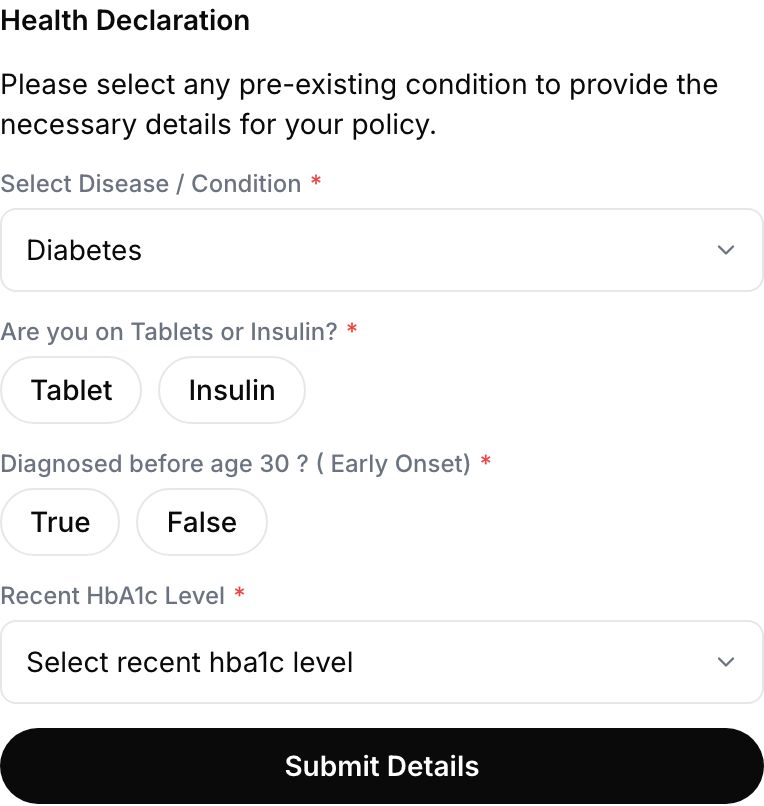
A form component: dropdown, pill choices, conditional fields and one Send to agent button.
form, so it sends that form’s inputs. Point Call an API on response at your CRM:
Compare plans on live pricing
Prices, stock and eligibility change, so render them from your API rather than typing them into the component.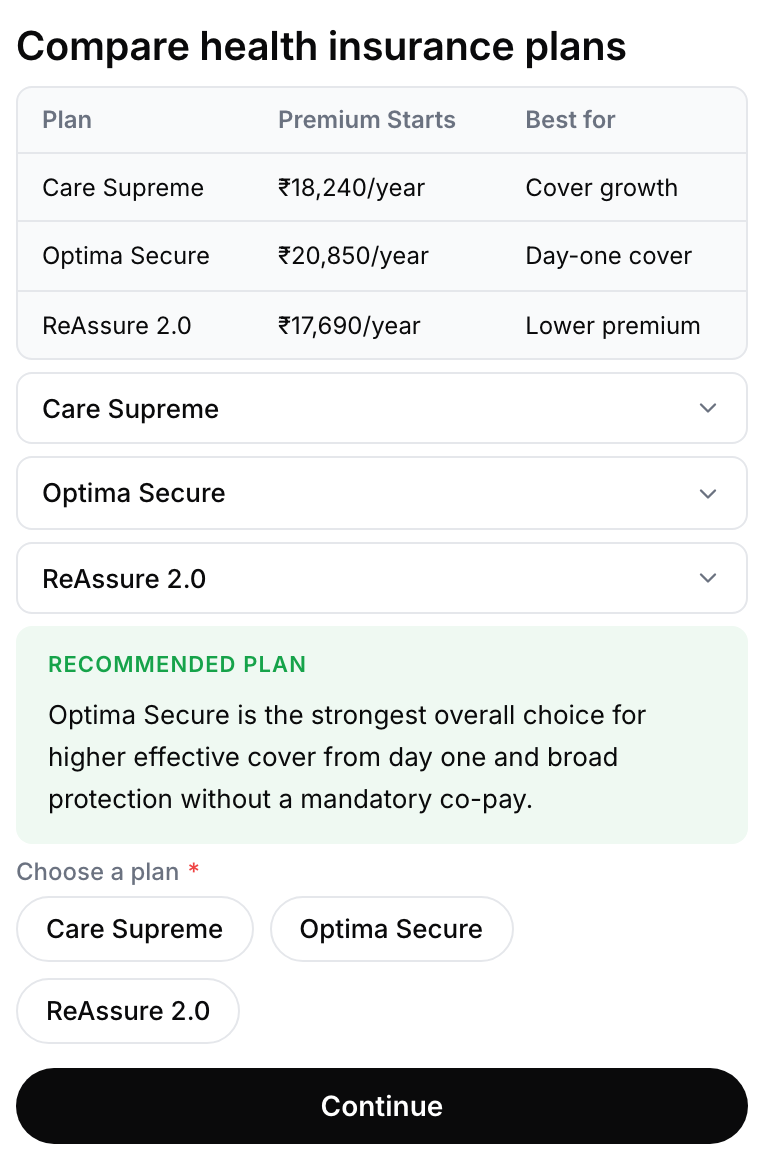
A table of plans, one expander per plan, a callout for the recommendation, and pills to choose.
GET to your pricing endpoint. The response binds to api_res, and the repeat renders one card per plan.
Because the card repeats, keep one Action ID for the whole list and give the button a Value of ${{plan.id}}. Read ${{component_data.value}} to know which plan was chosen.
Book a slot
Start from the Calendar slots template. It shows a pill choice for the day and a time button per free slot. The slots don’t come from your API: the component’s Availability settings generate them each time it is sent.
Wiring: Each time button’s Value carries the slot’s date and time, so Call an API on response can create the booking with
${{component_data.value}}.
Offer a brochure download
A link button opens the file without ending the conversation.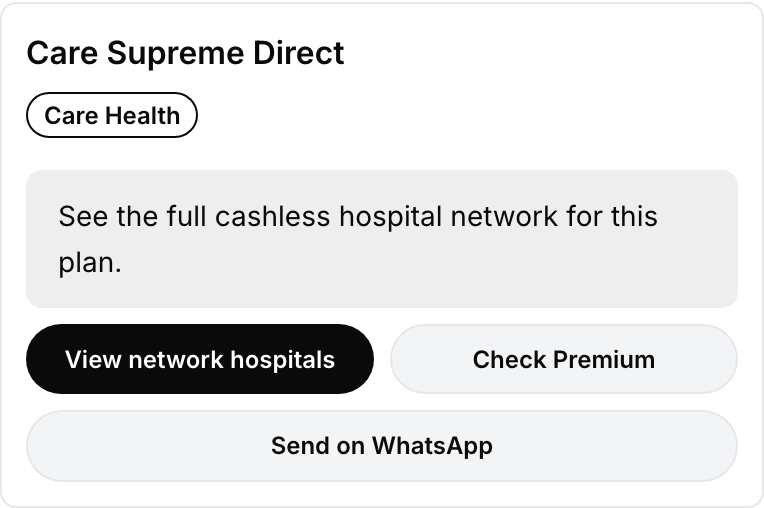
Two link buttons side by side at 50% width, with a full-width action beneath them.
50 inside a horizontal Stack (Sizing). If the brochure differs per plan, return the full URL from your fetch and bind ${{api_res.brochure_url}}.
Confirm an order and show its status
A read-only summary the visitor can scan, with the next action attached to it.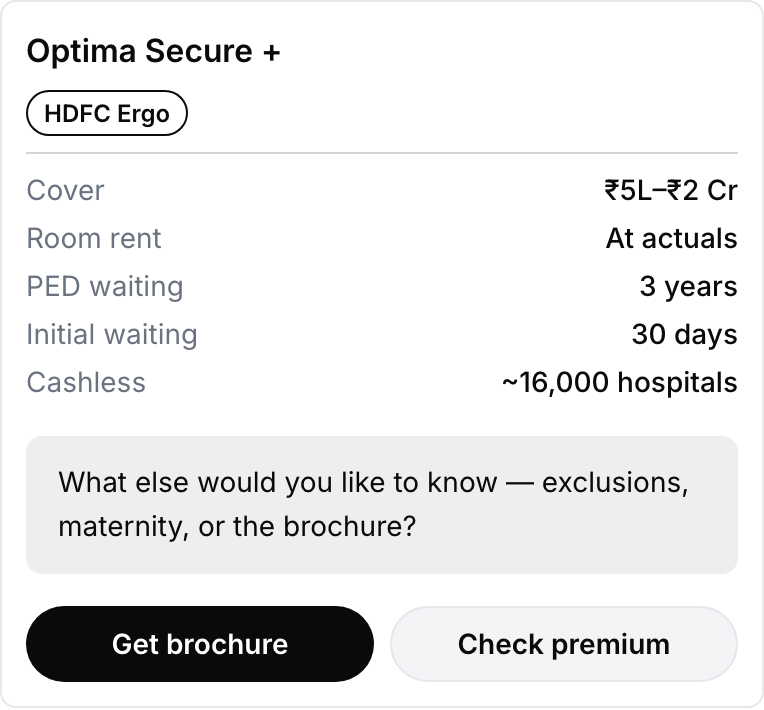
A facts block renders label and value pairs, with a badge for the provider.
GET in Fetch data before showing, keyed on a parameter the agent fills:
Add it to the fetch as a query param row:
order_id = ${{order_id}}.
Disambiguate with quick replies
When the agent isn’t sure what the visitor wants, offer the likely answers as buttons.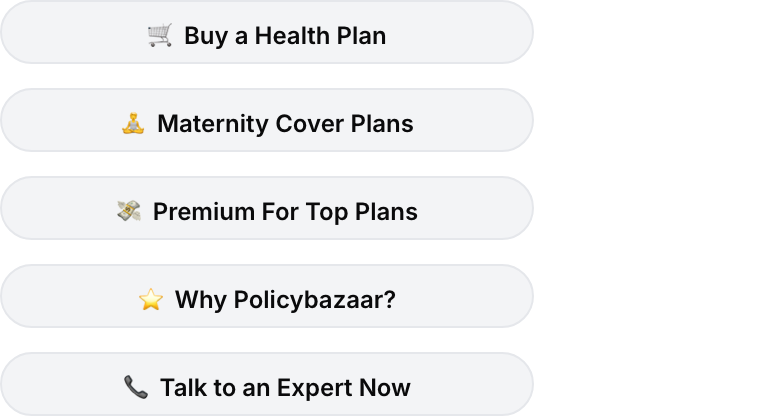
Quick replies are buttons in a Stack, each sending its own Value.
Answer a question with a structured card
When the answer has caveats, lead with the verdict, keep the detail one tap away, and end with the next step.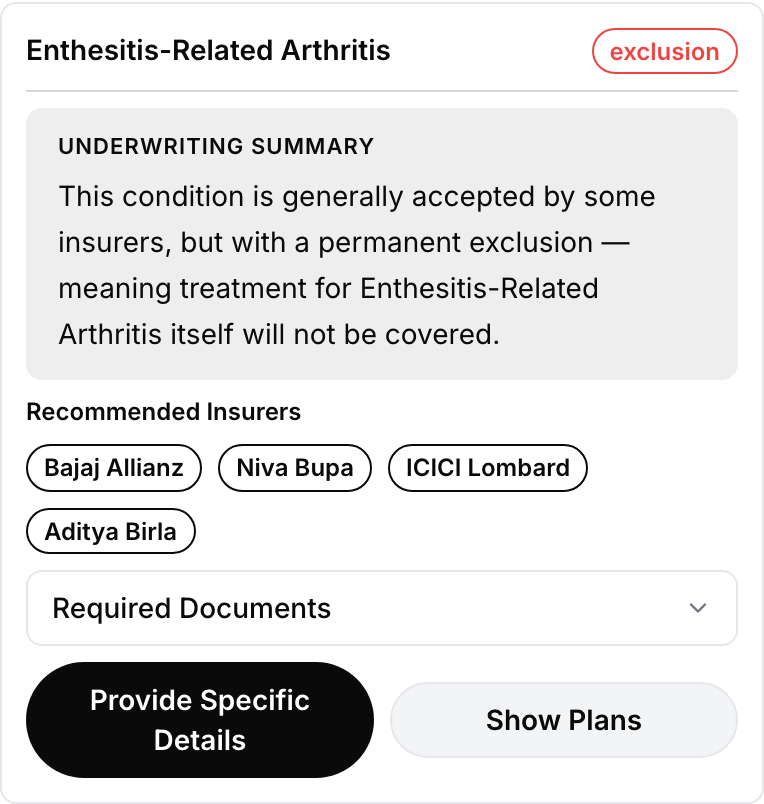
A badge for the verdict, a callout for the detail, pills for the options, and an expander to keep the long part collapsed.
condition_name and verdict are dynamic parameters the agent fills from the conversation, while the supporting detail comes from the fetch. Give the two buttons different Action IDs so the agent knows which way the visitor went.
Finish the flow with a plain confirmation once the visitor commits:
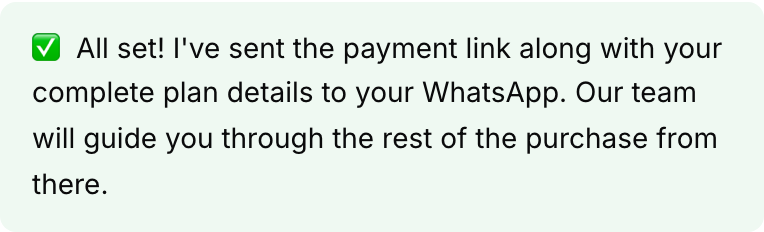
A single callout block, tone success, is often the whole component.
Drive your own page from the chat
Sometimes the outcome is something happening on the page: open the checkout drawer, scroll to a section, prefill a field. Blocks:ringg:open_pricing as in Fire an event on your page.
If the visitor never needs to tap anything, an agent action lets the agent dispatch the event itself.
Collect a list, one entry at a time
Long repeating forms are hard to fill in a chat. Collect one entry, confirm it, then offer another.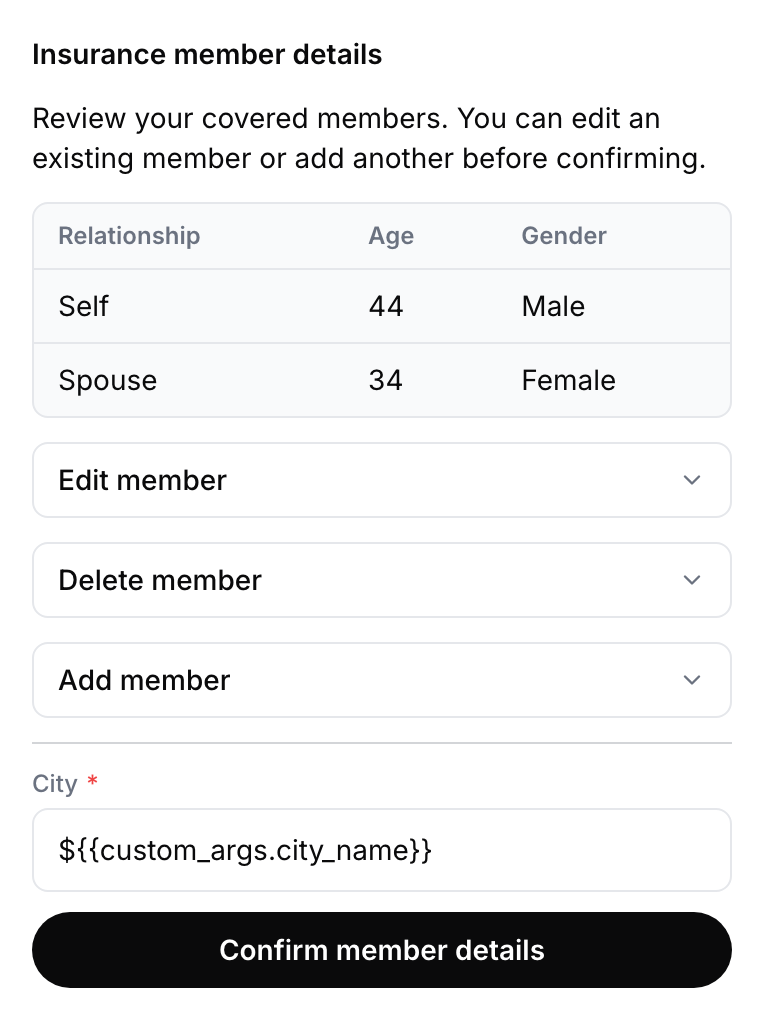
A table of what is already collected, with expanders to edit, remove or add another entry.
Next steps
Style the widget
Restyle any block or widget element with
data-ringg attributes.Prepare for launch
Domains, , version pinning and browser QA.