

Prerequisites
Before starting the integration, ensure you have:- Active Plivo account with API access
- Auth ID and Auth Token from Plivo Console
- At least one Plivo phone number
- Active Ringg workspace with admin access
Step 1: Plivo Account Setup
Create a Plivo Account
- Sign up at Plivo Console
- Complete account verification process
- Add credits to your account for phone number rental and calls
Obtain API Credentials
Navigate to your Plivo dashboard and locate your API credentials: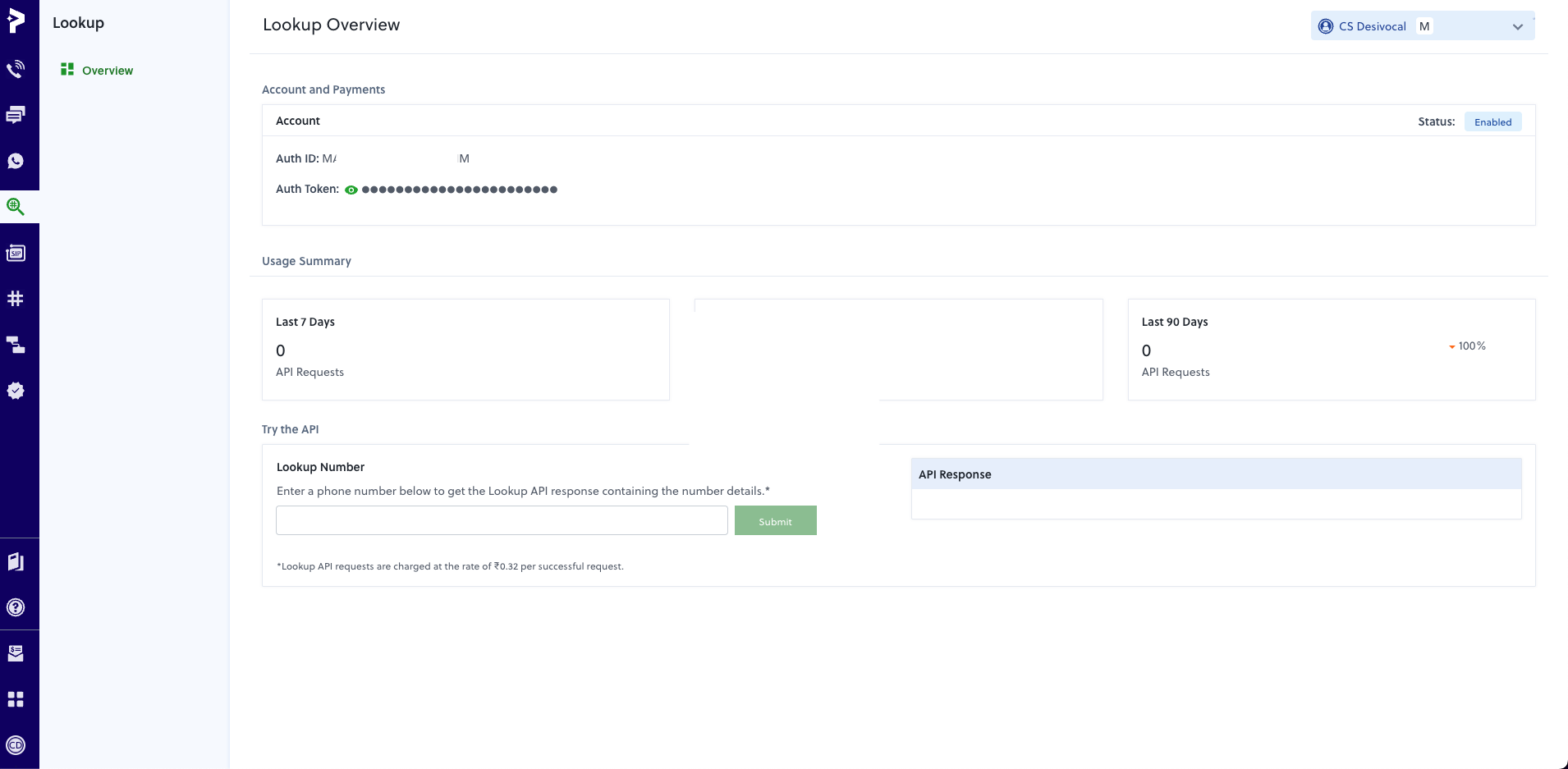
Step 2: Phone Number Configuration
Purchase a Phone Number
- Navigate to Phone Numbers → Buy Numbers in Plivo Console
- Select your preferred country and number type:
- Local Numbers: Best for regional presence
- Toll-free Numbers: Professional appearance for customer service
- Mobile Numbers: Available in select countries
- Complete the purchase
Configure Voice Settings
Your Plivo numbers will be automatically configured for voice calls when you add them to Ringg.Step 3: Connect Plivo to Ringg
Add Plivo as Your Telephony Provider
1
Navigate to Integrations
Go to your Ringg dashboard and click Integrations → Telephony Integration
2
Select Plivo Provider
Click “Add Telephony Provider” and select Plivo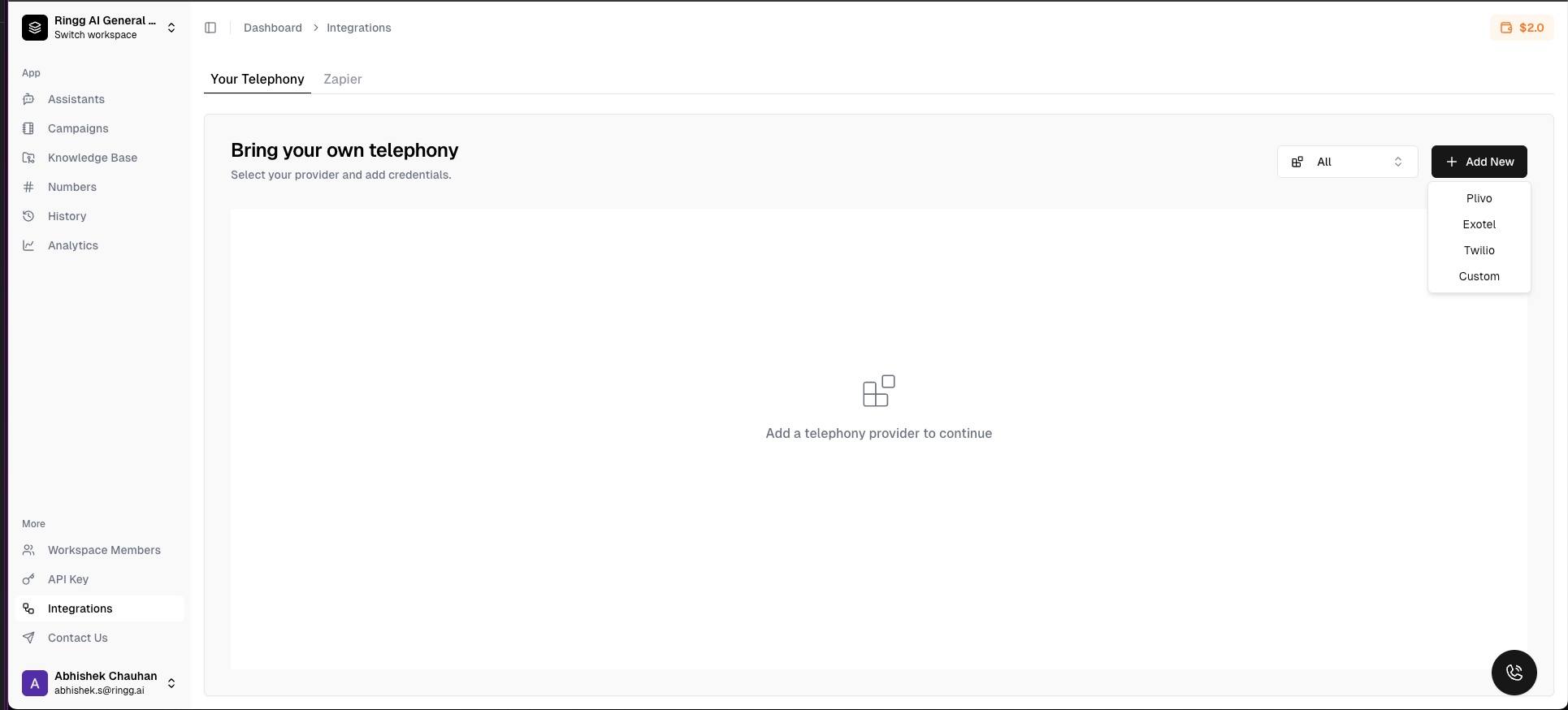
3
Enter Credentials
Fill in your Plivo credentials: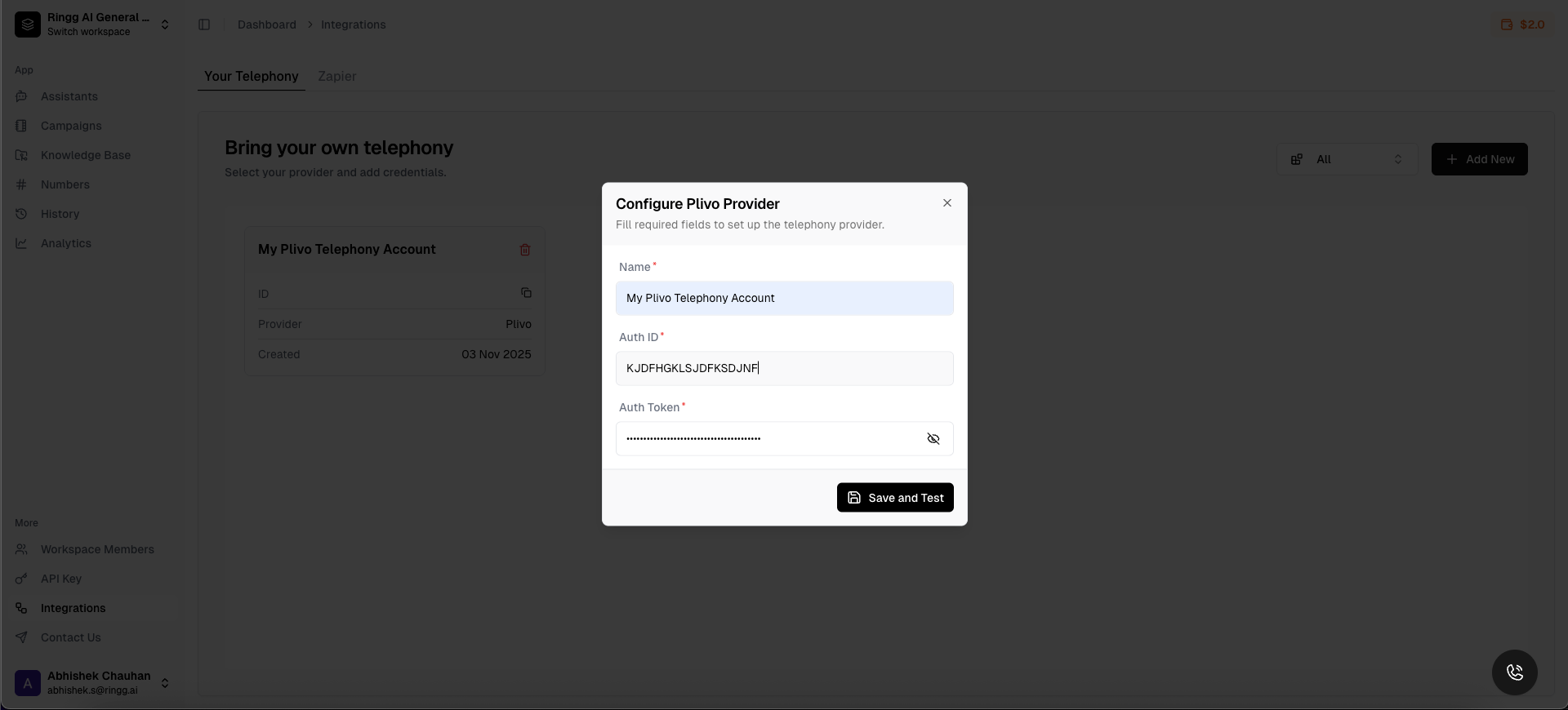
- Auth ID: Your Plivo Auth ID
- Auth Token: Your Plivo Auth Token
4
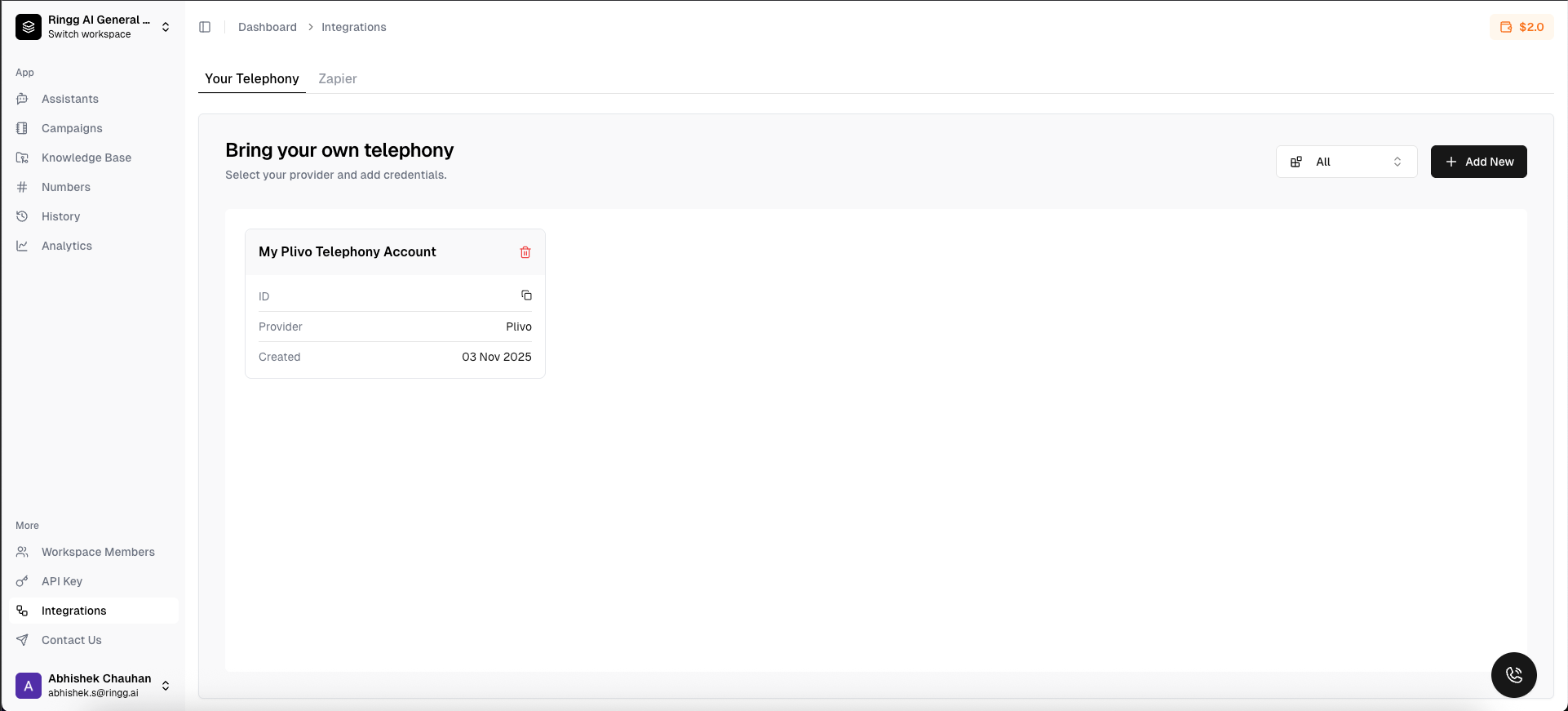
Test Connection & Save
Click “Test Connection” to verify your credentials are working and save them
Step 4: Use Plivo Number in Ringg Dashboard
Number Management
For comprehensive number management features, including:- Buy Number
- Import numbers from telephony
- Attach number to agent
Step 5: Test Your Integration
Test Inbound Calls
-
Basic Functionality Test
- Call your Plivo number from any phone
- Verify the AI assistant answers and responds appropriately
- Check that the conversation flows naturally
-
Dashboard Verification
- Monitor the call in your Ringg dashboard
- Verify call logs appear in both Ringg and Plivo
- Check that recordings and transcriptions are generated
Test Call Quality
Audio Quality Checklist
Audio Quality Checklist
- Clear, crisp audio without distortion
- No echo or feedback issues
- Appropriate volume levels
- Minimal latency in conversation
AI Assistant Performance
AI Assistant Performance
- Assistant responds promptly to caller input
- Conversation flows naturally without awkward pauses
- Assistant understands and responds accurately
- Proper handling of interruptions and overlapping speech
Call Completion
Call Completion
- Calls complete successfully without dropping
- Proper call termination when conversation ends
- Accurate call duration tracking
- Complete transcription capture
Troubleshooting
Common Issues
Connection Issues
Connection Issues
Problem: Unable to connect Plivo account to RinggSolutions:
- Verify Auth ID and Auth Token are correct
- Ensure Plivo account has sufficient credits
- Check that API access is enabled in Plivo console
- Verify account is not suspended or restricted
Import Problems
Import Problems
Problem: Numbers not appearing during importSolutions:
- Confirm numbers are active in your Plivo account
- Check that numbers have voice capabilities enabled
- Verify regional availability (some numbers may be restricted)
- Ensure proper account permissions for API access
Call Quality Issues
Call Quality Issues
Problem: Poor audio quality or dropped callsSolutions:
- Check your internet connection stability
- Verify Plivo service status for your region
- Test with different phone numbers and devices
- Contact Plivo support if issues persist regionally
AI Assistant Not Responding
AI Assistant Not Responding
Problem: Calls connect but AI assistant doesn’t respondSolutions:
- Verify assistant is properly assigned to the number
- Check assistant configuration and status
- Review webhook logs for any errors
- Ensure assistant has proper knowledge base setup
Debug Tools
Ringg Call Logs
Monitor real-time call events and status in your dashboard
Plivo Console Logs
Review API calls and webhook deliveries in Plivo Console
Webhook Testing
Test webhook connectivity and payload delivery
Audio Diagnostics
Analyze call quality metrics and performance data
Support Resources
Plivo Documentation
Official Plivo API documentation and guides
Plivo Support
Technical support and troubleshooting assistance
Ringg Community
Join our Discord community for tips and support
Contact Support
Reach out to our team for integration assistance