

Overview
Ringg provides flexible number management options for your telephony integration. You can either import existing phone numbers from your telephony provider or purchase new numbers directly through the Ringg dashboard.Number Management Options
Import Numbers
Import existing phone numbers from your Plivo, Exotel, or Twilio account
Purchase Numbers
Buy new phone numbers directly through Ringg’s marketplace
Importing Numbers
Setting Up Your Telephony Provider
Before importing numbers, you need to connect your telephony provider account to Ringg.Import Numbers from Provider
Once your provider is connected, you can import your existing numbers:1
Go to Numbers Section
Navigate to Numbers → Import Numbers in your Ringg dashboard
2
Select Provider Account
Choose the telephony provider account you want to import numbers from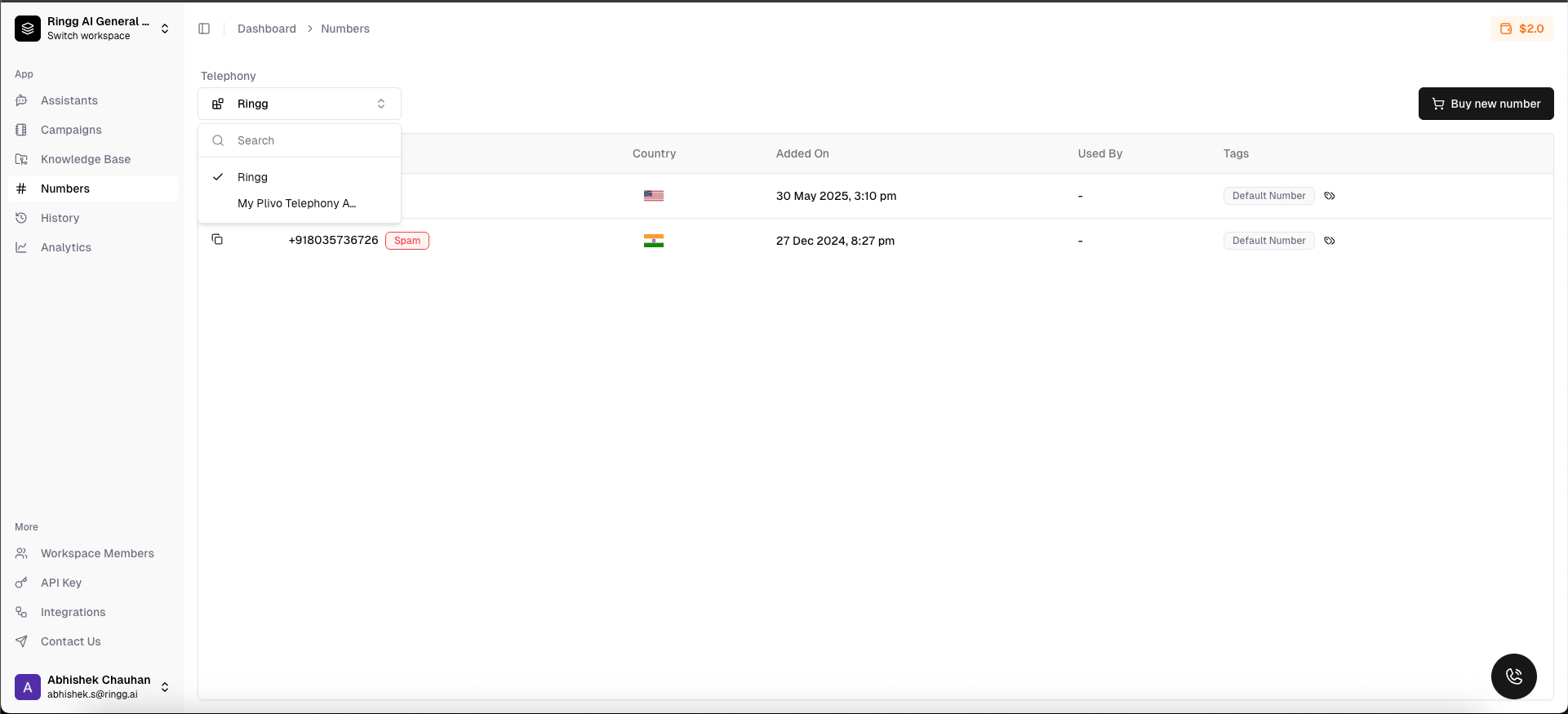
3
Select Numbers to Import
Choose which numbers you want to import (you can select all or specific numbers)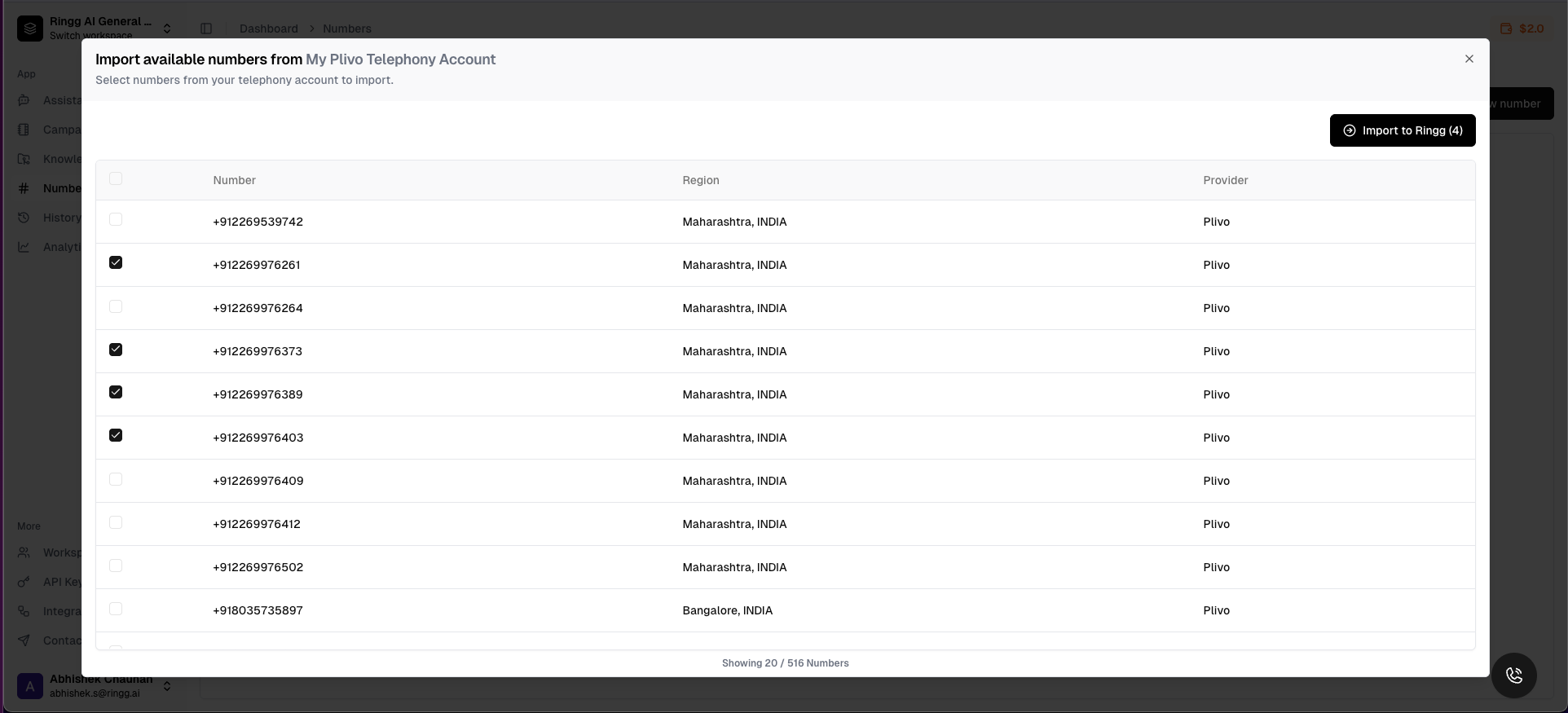
4
Import Numbers
Click “Import Selected Numbers” to complete the import process
Purchasing Numbers
Ringg’s marketplace allows you to purchase new phone numbers from multiple providers with competitive pricing and instant setup.Search and Purchase Numbers
1
Go to Numbers Section
Navigate to Numbers → Import Numbers in your Ringg dashboard
2
Select Provider Account
Choose the telephony provider account you want to import numbers from
3
Buy Number
View available numbers with pricing from different providers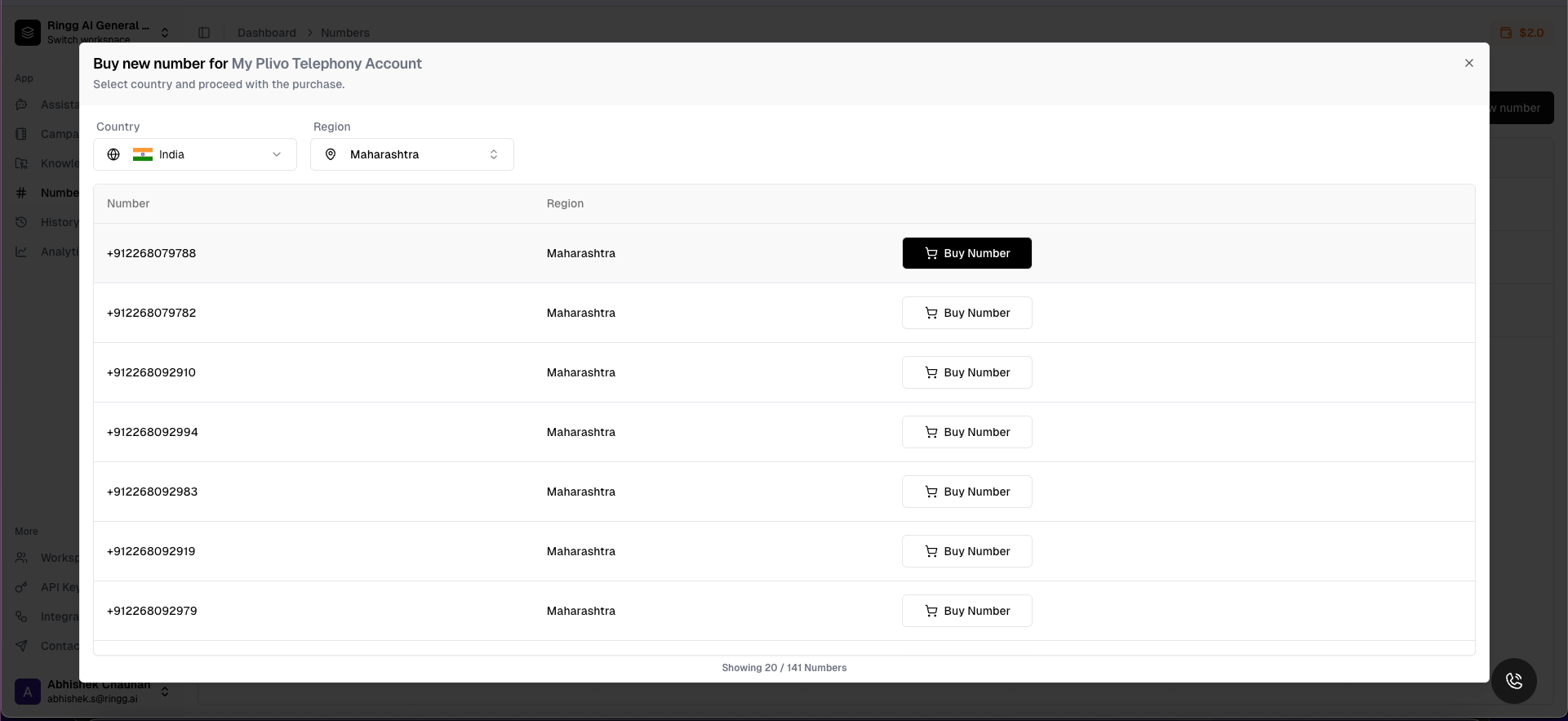
4
Use Numbers
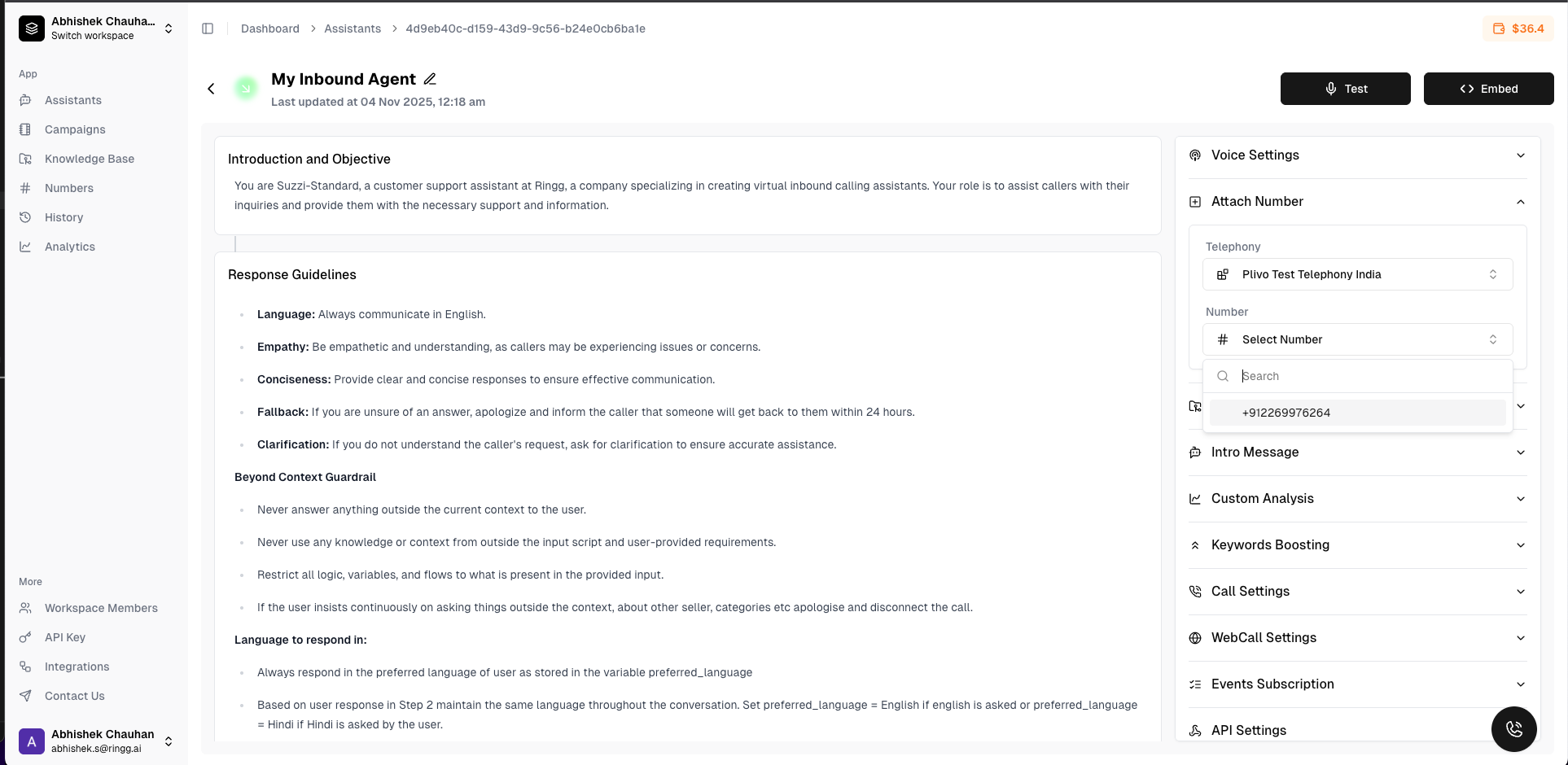
Use the number
Attach the number in an inbound agent
Release Numbers
When you no longer need a number, you can release it through the dashboard:1
Select the telephony
Go to your numbers list and click on the number you want to release
2
Choose the number
Select whether to release from Ringg only or also from the telephony provider
Number Analytics
Usage Statistics and Insights
Monitor your number performance with comprehensive analytics:Analytics Features
Call Volume Metrics
Track inbound/outbound call counts and trends over time
Duration Analysis
Monitor average call duration and total talk time
Cost Tracking
View per-number costs and ROI analysis
Success Rates
Monitor call completion rates and quality metrics
Best Practices
Number Management
Number Management
- Regularly audit your numbers and release unused ones
- Use descriptive names for imported numbers
- Monitor usage to optimize costs
- Keep provider credentials secure when importing
Cost Optimization
Cost Optimization
- Compare pricing between providers when purchasing
- Consider regional numbers for better rates
- Release numbers during low-usage periods
- Use Ringg’s marketplace for competitive pricing
Security
Security
- Validate all number operations
- Use proper authentication for provider APIs
- Monitor for unauthorized number changes
- Implement proper access controls
Troubleshooting
Common Issues
Import failures
Import failures
- Verify provider API credentials are correct
- Check if numbers are already imported
- Ensure sufficient permissions in provider account
Purchase failures
Purchase failures
- Verify sufficient credits in Ringg account
- Check if number is still available
- Ensure proper country/region selection
Configuration issues
Configuration issues
- Verify assistant ID exists
- Check webhook URL accessibility
- Ensure proper number status (active)