> ## Documentation Index
> Fetch the complete documentation index at: https://docs.ringg.ai/llms.txt
> Use this file to discover all available pages before exploring further.
> ## Agent Instructions
> To search or read these docs, connect the Ringg docs MCP server at https://docs.ringg.ai/mcp (no key needed; tools search_ringg_ai and query_docs_filesystem_ringg_ai) instead of browsing pages one by one. Setup for each client: https://docs.ringg.ai/resources/mcp-server/docs-mcp-server/mcp-for-ai-assistants.md
> The dashboard labels agents "Assistants"; these docs say "agent". Both mean the same object, identified by agent_id.
> API base URL: https://prod-api.ringg.ai/ca/api/v0. Send the workspace API key in the X-API-KEY header, from server-side code only.
> Placing a call dials a real phone number and spends credits. Confirm the number with the user before calling.
> To act on a Ringg workspace (place calls, edit agents, read transcripts), use the separate Ringg workspace MCP server at https://mcp.ringg.ai/mcp: https://docs.ringg.ai/resources/mcp-server/workspace-mcp-server/overview.md
# Node types and connections
> Every node in a Ringg AI multi-prompt agent, what each one does and its settings, and the rules for connecting nodes with routers and transitions.
## Node types
The node picker has one **Router** entry ("Ask the caller or branch on data"); choose it, then pick **LLM Router** or **Logic Router**.
| Node (picker description) | What it does | Main settings |
| - | - | - |
| **Start**
(added automatically) | Entry point of every call. | None. Cannot be deleted. |
| **Agent**
“Free-form conversation” | An LLM-driven conversation with its own [prompt](/documentation/build-agents/customize-agent-behaviour/agent-prompt). | **Prompt** (**Objective**, **Response Guidelines**, **Conversation flow**, **FAQs**; plus **Intro Message** on a node connected to **Start**), **Voice** (per-node override; falls back to Global Settings), **Context strategy**, **Knowledge base** ([per node](/documentation/build-agents/customize-agent-behaviour/attach-a-knowledge-base#multi-prompt-agents)), **On-call tools** (API, Function, Workspace tool and System tools; see [Tools](/documentation/build-agents/customize-agent-behaviour/tools/overview)), **Query Phrases** (only once the node has a knowledge base or on-call tool), **End call** (**Enable End Call**). |
| **Speak**
“Send a scripted message” | Says a fixed message. | **Messages** per **Language**, with several phrase variations per language (the agent rotates them so it does not repeat itself); **Allow user to interrupt** (off by default). |
| **LLM Router**
“Router → Ask the caller, decide on reply” | Branches on what the caller says. | **Conditions** (plain-language, e.g. "When the caller wants to reschedule"), **Retry behavior** (**Message**, **Ask attempts** 1–5, default 2), **Fallback** (**After exhausting attempts**), [**Extract variables**](#extract-variables). |
| **Logic Router**
“Router → Branch on existing data” | Branches on variable values, with no caller turn. | **Conditions** built from rules (operators: equals, not equals, greater than, less than, greater or equal, less or equal, contains, in, is set, is not set), **Match** **All** or **Any**; **Fallback** (**When nothing matches**). A rule's left side is a variable or a [custom formula](#custom-formulas). |
| **Action**
“Call an API or knowledge base” | Makes an HTTP request and stores the response. Despite the picker text, there is no knowledge base action; give an Agent node a knowledge base instead. | Request editor (method, URL, headers, path, query, body, response); **Retries on failure** (**No retries** by default, or 1, 2, 3; retried on 429/5xx). Outputs **On success** and **On failure**. |
| **Keypad Menu**
“Press a key to choose a branch” | Routes on the digit the caller presses (DTMF). The menu itself ("Press 1 for sales…") is spoken by the Speak node before it; this node has no prompt. | **Keys** (digits 1–9 and 0, each routed to a node; `*` clears the input and `#` submits, so neither can be a key), **Wait for keypress** (3–15 s, default 5), **Retry behavior** (**Message** spoken before re-asking, **Ask attempts** 1–5, default 3), **Fallback** (**After max attempts, go to**). |
| **Collect**
“Capture a value from the caller” | Captures and checks one value. | **Field type**: Phone number, Email, One-time passcode or PIN code; **Default country code** (phone, default +91); **Number of digits** (OTP and PIN, 3–10; defaults 5 and 4); **Allow keypad entry** (off by default); **Retry behavior** (**Ask attempts** 1–5, default 3); **Fallback** (**If it can't be collected, go to**). Outputs **Captured** and **Failed**. |
| **Widget**
“Show a widget to the caller” | Shows one of the agent's widgets to the caller. | **Widget**: one of the agent's static widgets from **Embed & widgets** ([Embed & Widgets](/documentation/deploy/web-and-apps/web-widget/components)). |
| **End**
“Finish the call” | Ends the call. | None. |
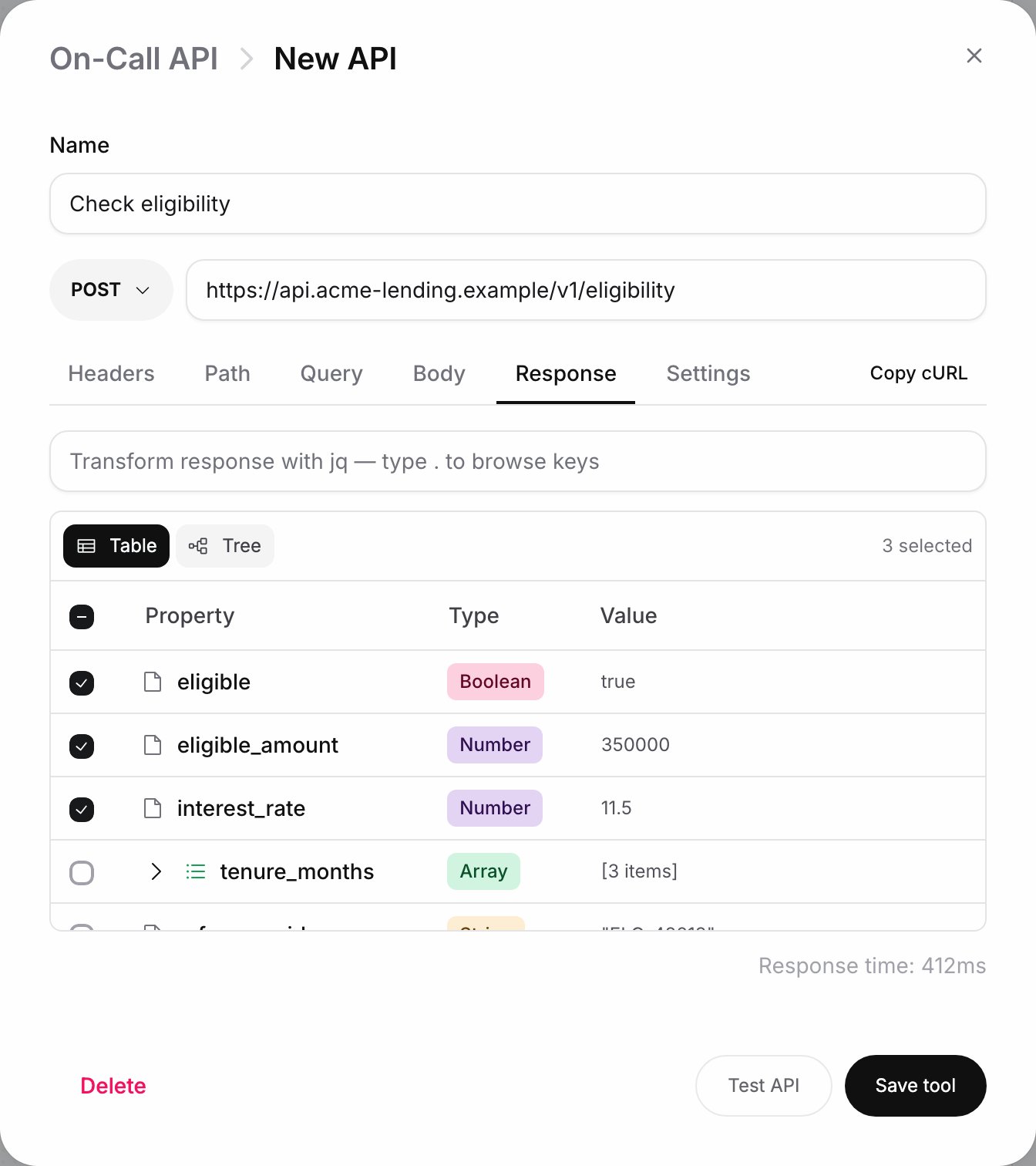
Responses stored by an Action node are available to later nodes through the `@` menu ([Variables](/documentation/build-agents/customize-agent-behaviour/custom-variables)).
 **Context strategy** decides what an Agent node remembers from earlier nodes. The node being entered sets it:
| Strategy | What the node starts with |
| - | - |
| **Append (carry over)** (default) | Everything so far: earlier instructions, every turn, and tool calls and results |
| **Reset (start fresh)** | Only its own instructions; earlier turns are dropped |
| **Reset (keep conversation)** | Its own instructions plus the earlier caller and agent turns, without earlier instructions or tool results |
| **Reset with Summary** | Its own instructions plus a summary of the conversation so far, written from its **Summary Prompt** ("Summarize the conversation so far..."). If the summary can't be written in time, the node falls back to Append |
### Extract variables
An LLM Router can pull values out of the caller's answer as it routes. Each entry has a `variable_name`, a type (**String**, **Number**, **Boolean**, **Date**, **Enum** with its values as a comma-separated list, or **Array**) and a description: "Describe what this variable should capture from the conversation". Extracted variables appear under **Extracted Variables** in the `@` menu of later nodes and in a Logic Router's variable picker, and in the **Test call summary** after a test.
### Custom formulas
In a Logic Router rule, the variable picker's **Logic** section offers **Custom formula**, which replaces the variable with a jq expression. Describe it in English ("e.g. days until the payment date") and click **Generate formula**, or click **Paste formula directly** and type the jq yourself. The card shows **Sample values used** so you can check what the formula read, and the operator and value of the rule stay as they were. **Use a variable** switches back.
## Connection rules
The node picker enforces these rules. Blocked types appear greyed out with the reason as a tooltip, for example "Agents can only hand off to an LLM Router or End — route through a Router to continue."
| From | Can connect to | Cannot connect to |
| - | - | - |
| **Start** | Agent, Speak, Logic Router, Action | End, LLM Router, Keypad Menu, Collect, Widget |
| **Agent** | LLM Router, End | Everything else, including Logic Router |
| **LLM Router** | Any node except another LLM Router | LLM Router |
| Any other node | Any node type except **Start**, including **End**. **Widget** only after you add a widget with static content under [Embed & widgets](/documentation/deploy/web-and-apps/web-widget/overview) | |
When an LLM Router follows an Agent node, the Agent makes the routing decision, so the router hides its **Retry behavior** and **Fallback** sections.
This documentation is built and hosted on [Mintlify](https://mintlify.com), a developer documentation platform.
**Context strategy** decides what an Agent node remembers from earlier nodes. The node being entered sets it:
| Strategy | What the node starts with |
| - | - |
| **Append (carry over)** (default) | Everything so far: earlier instructions, every turn, and tool calls and results |
| **Reset (start fresh)** | Only its own instructions; earlier turns are dropped |
| **Reset (keep conversation)** | Its own instructions plus the earlier caller and agent turns, without earlier instructions or tool results |
| **Reset with Summary** | Its own instructions plus a summary of the conversation so far, written from its **Summary Prompt** ("Summarize the conversation so far..."). If the summary can't be written in time, the node falls back to Append |
### Extract variables
An LLM Router can pull values out of the caller's answer as it routes. Each entry has a `variable_name`, a type (**String**, **Number**, **Boolean**, **Date**, **Enum** with its values as a comma-separated list, or **Array**) and a description: "Describe what this variable should capture from the conversation". Extracted variables appear under **Extracted Variables** in the `@` menu of later nodes and in a Logic Router's variable picker, and in the **Test call summary** after a test.
### Custom formulas
In a Logic Router rule, the variable picker's **Logic** section offers **Custom formula**, which replaces the variable with a jq expression. Describe it in English ("e.g. days until the payment date") and click **Generate formula**, or click **Paste formula directly** and type the jq yourself. The card shows **Sample values used** so you can check what the formula read, and the operator and value of the rule stay as they were. **Use a variable** switches back.
## Connection rules
The node picker enforces these rules. Blocked types appear greyed out with the reason as a tooltip, for example "Agents can only hand off to an LLM Router or End — route through a Router to continue."
| From | Can connect to | Cannot connect to |
| - | - | - |
| **Start** | Agent, Speak, Logic Router, Action | End, LLM Router, Keypad Menu, Collect, Widget |
| **Agent** | LLM Router, End | Everything else, including Logic Router |
| **LLM Router** | Any node except another LLM Router | LLM Router |
| Any other node | Any node type except **Start**, including **End**. **Widget** only after you add a widget with static content under [Embed & widgets](/documentation/deploy/web-and-apps/web-widget/overview) | |
When an LLM Router follows an Agent node, the Agent makes the routing decision, so the router hides its **Retry behavior** and **Fallback** sections.
This documentation is built and hosted on [Mintlify](https://mintlify.com), a developer documentation platform.