> ## Documentation Index
> Fetch the complete documentation index at: https://docs.ringg.ai/llms.txt
> Use this file to discover all available pages before exploring further.
> ## Agent Instructions
> To search or read these docs, connect the Ringg docs MCP server at https://docs.ringg.ai/mcp (no key needed; tools search_ringg_ai and query_docs_filesystem_ringg_ai) instead of browsing pages one by one. Setup for each client: https://docs.ringg.ai/resources/mcp-server/docs-mcp-server/mcp-for-ai-assistants.md
> The dashboard labels agents "Assistants"; these docs say "agent". Both mean the same object, identified by agent_id.
> API base URL: https://prod-api.ringg.ai/ca/api/v0. Send the workspace API key in the X-API-KEY header, from server-side code only.
> Placing a call dials a real phone number and spends credits. Confirm the number with the user before calling.
> To act on a Ringg workspace (place calls, edit agents, read transcripts), use the separate Ringg workspace MCP server at https://mcp.ringg.ai/mcp: https://docs.ringg.ai/resources/mcp-server/workspace-mcp-server/overview.md
# Authentication
> Authenticate Ringg AI API requests by sending your workspace API key in the X-API-KEY header, check it with GET /workspace and handle 401 errors.
The key decides which workspace the request acts on: agents, numbers, campaigns and call history all belong to that workspace.
Keep the key on your server. Anyone who has it can place calls and spend your balance, so never put it in browser JavaScript, a mobile app, a public repository or a log line.
## Get your API key
The workspace owner generates the key in the dashboard under **Settings → API Key** ([open it](https://www.ringg.ai/dashboard/settings/api-key)). New keys start with `rg_live_`; keys generated earlier may start with `ringg_live_` or be a plain UUID, and keep working. The full key is shown once, when it is generated; afterwards the page shows only a masked form. **Regenerate API Key** revokes the old key immediately, so update every service that uses it.
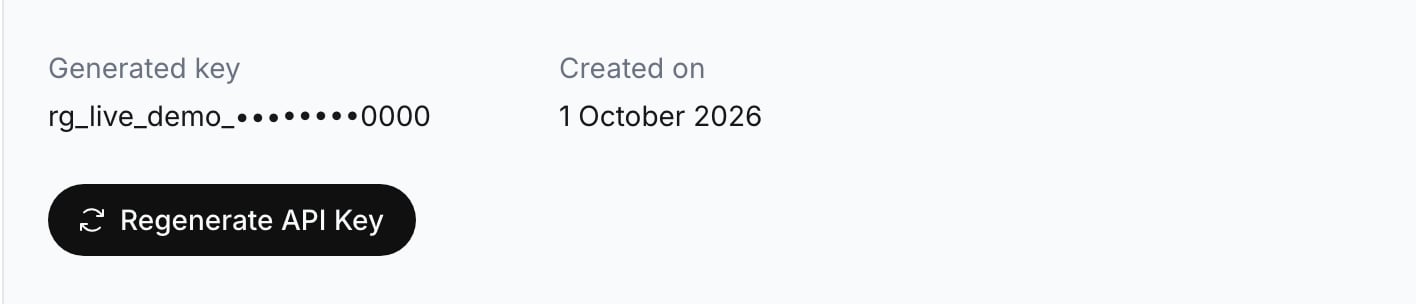 [API key](/documentation/manage-account/api-key) walks through generating, storing and rotating the key.
## Send the key
All endpoints share the base URL `https://prod-api.ringg.ai/ca/api/v0`. `GET /workspace` is the simplest request to check a key with.
```bash cURL theme={null}
curl --request GET "https://prod-api.ringg.ai/ca/api/v0/workspace" \
--header "X-API-KEY: $RINGG_API_KEY"
```
```javascript JavaScript theme={null}
const response = await fetch("https://prod-api.ringg.ai/ca/api/v0/workspace", {
headers: { "X-API-KEY": process.env.RINGG_API_KEY }
});
if (!response.ok) {
throw new Error(`Ringg API error: ${response.status} ${await response.text()}`);
}
const workspace = await response.json();
```
A valid key returns the workspace it belongs to:
```json theme={null}
{
"workspace_info": {
"id": "00000000-0000-4000-8000-00000000010f",
"name": "Acme Lending",
"created_at": "2026-04-15T10:30:00.000000+00:00",
"credits": 3025.0,
"locked_credits": 0.0
}
}
```
If `name` is not the workspace you expected, the key belongs to another workspace. Each [Ringg Space](/documentation/manage-account/ringg-spaces/overview) has its own key.
## Protect the key in production
* Load the key from a secret manager or an environment variable, not from source code.
* Redact the `X-API-KEY` header in request logging.
* Rotate the key as soon as you suspect it leaked. Rotation is a dashboard action; the API cannot create or rotate keys.
* Alert on bursts of `401` responses: after a regeneration, they mean a service still has the old key.
## Error responses
| Response | Meaning | Fix |
| - | - | - |
| `400 Bad Request` | The request sends both an `Authorization` header and `X-API-KEY` | Send only `X-API-KEY` |
| `401 Unauthorized` | The key is missing, wrong, or was regenerated. The body is `{"message": "Invalid credentials"}` | Check the header name and value, then redeploy the current key |
| `403 Forbidden` | The workspace cannot use this endpoint, for example Ringg Space endpoints when Ringg Spaces are not enabled | Contact Ringg support |
Other statuses are listed in the [API overview](/api-reference/introduction/api-overview#errors).
## Next steps
Use the key to place an outbound call with an agent.
Base URL, resources, IDs and error format.
This documentation is built and hosted on [Mintlify](https://mintlify.com), a developer documentation platform.
[API key](/documentation/manage-account/api-key) walks through generating, storing and rotating the key.
## Send the key
All endpoints share the base URL `https://prod-api.ringg.ai/ca/api/v0`. `GET /workspace` is the simplest request to check a key with.
```bash cURL theme={null}
curl --request GET "https://prod-api.ringg.ai/ca/api/v0/workspace" \
--header "X-API-KEY: $RINGG_API_KEY"
```
```javascript JavaScript theme={null}
const response = await fetch("https://prod-api.ringg.ai/ca/api/v0/workspace", {
headers: { "X-API-KEY": process.env.RINGG_API_KEY }
});
if (!response.ok) {
throw new Error(`Ringg API error: ${response.status} ${await response.text()}`);
}
const workspace = await response.json();
```
A valid key returns the workspace it belongs to:
```json theme={null}
{
"workspace_info": {
"id": "00000000-0000-4000-8000-00000000010f",
"name": "Acme Lending",
"created_at": "2026-04-15T10:30:00.000000+00:00",
"credits": 3025.0,
"locked_credits": 0.0
}
}
```
If `name` is not the workspace you expected, the key belongs to another workspace. Each [Ringg Space](/documentation/manage-account/ringg-spaces/overview) has its own key.
## Protect the key in production
* Load the key from a secret manager or an environment variable, not from source code.
* Redact the `X-API-KEY` header in request logging.
* Rotate the key as soon as you suspect it leaked. Rotation is a dashboard action; the API cannot create or rotate keys.
* Alert on bursts of `401` responses: after a regeneration, they mean a service still has the old key.
## Error responses
| Response | Meaning | Fix |
| - | - | - |
| `400 Bad Request` | The request sends both an `Authorization` header and `X-API-KEY` | Send only `X-API-KEY` |
| `401 Unauthorized` | The key is missing, wrong, or was regenerated. The body is `{"message": "Invalid credentials"}` | Check the header name and value, then redeploy the current key |
| `403 Forbidden` | The workspace cannot use this endpoint, for example Ringg Space endpoints when Ringg Spaces are not enabled | Contact Ringg support |
Other statuses are listed in the [API overview](/api-reference/introduction/api-overview#errors).
## Next steps
Use the key to place an outbound call with an agent.
Base URL, resources, IDs and error format.
This documentation is built and hosted on [Mintlify](https://mintlify.com), a developer documentation platform.